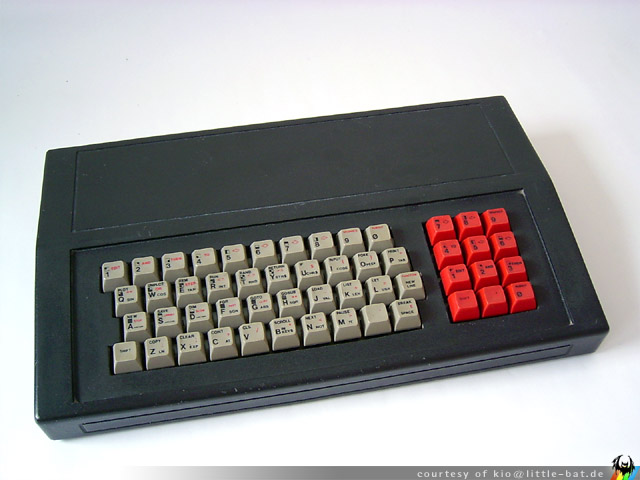
Raspberry Pi 400 Desktop PC
https://www.raspberrypi.org/blog/raspberry-pi-400-the-70-desktop-pc/
schappim · 5 years ago
166 comments
https://www.raspberrypi.org/blog/raspberry-pi-400-the-70-desktop-pc/
schappim · 5 years ago
166 comments
alphaomegacode · 5 years ago
Truly amazing how the Raspberry Pi team keeps innovating.
As far as I know, they're not a billion dollar company yet they keep innovating by making better Pi's and continuously upgrading the builder/user experience.
Congratulations to Upton and team!
kzrdude · 5 years ago
They are a non-profit, aren't they?
alphaomegacode · 5 years ago
I'm assuming they are and that makes it even more amazing I think.
MarcScott · 5 years ago
You're right. The Raspberry Pi Foundation is an educational charity. We're funded, in the main, by the sales of Raspberry Pi hardware.
That the hardware and software engineers at Raspberry Pi Trading can keep innovating and producing such amazing products, astounds me.
1996 · 5 years ago
My 2 cents on this device: you are replicating the 1980s "computer in the keyboard". Back then, the issue was the lack of screens, so TV were used instead.
For educational purposes, the same problem exist today: however, kids will not have a space HDMI screen with a micro HDMI cable.
The replacement screen that most people have is different: it's a smartphone, as there are more smartphones than TVs.
So a "notch" or receptacle on top on the keyboard, to secure a smartphone into place, would be helpful: the use case would be powering the 400 from the smartphone AC adapter (kids may not have a spare adapter matching the pi4 power requirements), plugging the phone into the 400 using a USB cable to keep the phone charged, use the phone as the screen - without it falling out and breaking, or hanging by a cable.
Android being finicky, you may not be able to have autodetection/USB gadget mode, but a remote desktop solution would go a long way.
It is not possible at the moment, given the 400 power requirements, but newer/more powerful AC adapters will eventually be more common.
This leaves the notch, which you may want to consider in the next revision
person_of_color · 5 years ago
Whats the relation between Broadcom and RPi? Isn’t Eben employed by Broadcom?
alphaomegacode · 5 years ago
The pleasant surprise is you all make improvements to the hardware and the software that really enhance the experience.
Nowadays, leading billion dollar tech companies often come out with upgrades that highlight being a few microns thinner and camera resolution without really launching actual innovative products or without enhancing the user experience.
Thank you.
zatertip · 5 years ago
This is such a great idea. Plug it into a tv and you have a PC. Plug in an SSD with movies and you have a media center, no extra assembly required!
petre · 5 years ago
Yup, FFW 38 years into the future and the Commodore 64 is reborn, only with a ~22 times lower price.
weinzierl · 5 years ago
> [...] with a ~22 times lower price
...and roughly 1800 times the clock speed. One millions times the colors that the C64 display[1]. It even comes with User Port (in spirit)[2].
[1] Yes, the number of colors a home computer could display was a major selling point back then. My C64 only hat 16, my friends CPC had 32, including the rad "Bright White" which enabled stunning effects. Man, I envied that.
[2] Exposed GPIO header is super awesome and quite similar to the C64 User Port. Even more awesome was the Commodore's Expansion Port which basically exposed its bus. It think something like this would not be practically possible with today's GHz clock speeds but still this was super awesome and allowed (and required) you to even dig deeper into the internal workings of your machine.
petre · 5 years ago
> Exposed GPIO header is super awesome
Yes but it should have probably been a female connector to prevent accidental shorts between pins. One can plug a female connector into it to use as a cap or 3d print a cap anyway.
Cthulhu_ · 5 years ago
Yeah but then you'd have to put a father connector (?) in it to connect any existing things that use the whole connector. Better to stick with what is standard for the platform.
willis936 · 5 years ago
I can’t see myself sticking a hat directly into this machine. I think a female header with included male-male GPIO cable would have been nice. It’s not standard but fits within physical layer conventions.
newsbinator · 5 years ago
This is really cool. Does it support an Asus Zenscreen USB C portable monitor? I recently started traveling with one as a second screen. Weighs less than a kilo.
https://www.amazon.com/ASUS-ZenScreen-MB16AC-Portable-Monito...
Setting it up on my MacBook Pro required the 'DisplayLink Manager' util to be installed, but otherwise it just works and doesn't need a second power source.
I wonder if that would still work with this Raspberry Pi 400.
nl · 5 years ago
Not sure about that, but there are lots of portable monitors that have HDMI input that should work fine; eg: https://www.amazon.com/Portable-Monitor-Display-Speakers-Inc... (Not a recomendation and I haven't tried this one).
Cthulhu_ · 5 years ago
Eek, $236,- for a monitor for a $100 system? Hard pass. For $236 you can get a fairly decent tablet nowadays.
That said, what are some affordable / basic screens for a RPI?
bbayer · 5 years ago
It reminds me the joyful moments while I plugged my Commodore 64 to TV set.
weinzierl · 5 years ago
That was my very first thought too. Joyful moments indeed.
rcarmo · 5 years ago
This is an awesome idea, brings me back to my Sinclair days - grab the computer, plug it into the TV, done. Perfect for kids.
Only one concern: I own one of the keyboards (they also have a US layout) and they’re not bad, but the right cursor key fails to register sometimes. So let’s hope they tweaked the build quality a bit in that regard.
comboy · 5 years ago
Fantastic. They clearly took into account vast user base not interested in electronics and tinkering and just interested in a cheap PC. SD card with system included which was a hassle for novice users. And they even kept GPIO outside for those like me.
I'm so glad about Raspberry Pi popularity. There are many superior hardware platforms but having one that's really popular massively speeds up prototyping when most modules and sensors have libraries written for it, and you know you are testing them on the same hardware on which they were developed.
regularfry · 5 years ago
I'm intrigued by the "faster, cooler" comment. Anyone know what that refers to? It looks like there aren't any vents on the visible surfaces, so I'm guessing there's been a hardware rev to make thermal throttling less of a problem?
If so, that might imply a pi 4 board release some time soon, which would be nice.
fanf2 · 5 years ago
The clock speed is up from 1.5GHz to 1.8GHz, and there is a heat spreader built in. https://www.cnx-software.com/2020/11/02/raspberry-pi-400-tea...
terramex · 5 years ago
It's a new design of boad (not a Pi4 in a case) and has a large heat spreader inside, and the C0 2711 chip which has better clock gating so blocks can be turned off the save power. This means we can run at 1800 by default. It runs very cool.
https://www.raspberrypi.org/forums/viewtopic.php?p=1752436#p...
regularfry · 5 years ago
Just watched the teardown video from there. Man, that's a lovely design.
geerlingguy · 5 years ago
The BCM2711 SoC inside is a newer stepping (C0 vs B0 in Pi 4 model B), and can run faster and slightly cooler than the older revision.
Thus the Pi 400 has a 1.8 GHz default clock, while the Pi 4 model B has a 1.5 GHz clock.
Note that I just checked my Compute Module 4, and it also has the C0 revision of the chip... so it's interesting the Pi Foundation chose to keep it at the default 1.5 GHz.
It might have to do with the fact that the Pi 400 has a massive keyboard-sized heatsink attached to the SoC in the unit!
h3h3 · 5 years ago
It’s a custom pcb in keyboard format with vents at the back and huge metal heat sink/anti flex plate.
regularfry · 5 years ago
Yeah, so I watched a teardown from one of the sibling comments. Looks like there are vents underneath, but no fan (which would have ruined it for me). Turns out it's got both a huge heat spreader and a newer version of the Broadcom SOC. That's really interesting, because it means they've got the bugs ironed out to be able to do a better pi 4 board which isn't so finicky about its enclosures. And that means I could potentially upgrade the pi 3 that's currently sat in my dusty workshop without caring about fans getting clogged. (yes, I know there are passively-cooled pi 4 cases about. They don't quite do it for me.)
kzrdude · 5 years ago
It's easy to overclock pi 4 (revison 1.2) to 1.8 GHz as well, so they are probably very similar.
lukifer · 5 years ago
Love it. I first learned BASIC on a keyboard form-factor Atari 800 XL [0], plugged into an old B&W 12" television. I think this device will be much more approachable, and open the Pi/Linux ecosystem to many more users.
[0] https://en.wikipedia.org/wiki/Atari_8-bit_family#Newer_XL_ma...
acvny · 5 years ago
I started with this: https://en.wikipedia.org/wiki/Vector-06C
bencollier49 · 5 years ago
This tugs all the heartstrings for me as it mimics the computers of the early 80s. My only criticism is that their use of micro-HDMI makes it very easy for children to wreck the machine. I've had this happen twice to me on RPi4s, and it's not a terribly pleasant experience.
Now all I want from them is a custom edition with the function keys in red, the rest in black, and the body in beige.
lloeki · 5 years ago
[Unpopular opinion] having been spoiled by a working case† of USB-C, I wish there were 6 of those at the back instead of all the different plugs (save for Ethernet and GPIO)...
[Even more unpopular opinion] ... even if they were functionally different and marked explicitly as USB 3 x3, HDMI x2, power x1.
† I hear this is not everyone's case, but I just decided to buy a bunch of USB-C <-> whatever cables and stash the old cables in a drawer. The experience has been refreshing ever since, even emergency charging the laptop over 5W.
WatchDog · 5 years ago
I would imagine that a USB-C controller, would add a fair bit to the price, maybe a later SOC will support it.
MonadIsPronad · 5 years ago
If I'm not mistaken the power-input is via USB-C: does that imply the existence of a USB-C controller already?
PostThisTooFast · 5 years ago
Yeah, they should've gone with full-sized HDMI ports, since they have the room.
Kim_Bruning · 5 years ago
If only it had the traditional orange F-keys. Then it would be perfect!
references:
* https://en.wikipedia.org/wiki/BBC_Micro#/media/File:BBC_Micr...
or an actual ARM model:
* https://en.wikipedia.org/wiki/Acorn_Archimedes#/media/File:A...
rbanffy · 5 years ago
My memories prefer an Apple II theme. Either brown and beige or beige on off-white.
Kim_Bruning · 5 years ago
Fair enough in general, but the Raspberry Pi has an Acorn RISC Machine, of course. O:-)
https://en.wikipedia.org/wiki/ARM_architecture#Acorn_RISC_Ma...
rbanffy · 5 years ago
The ARM design was inspired by the 6502, which is shared by all of the most interesting 8-bit computers.
Kim_Bruning · 5 years ago
Fair enough in general. But specifically the first few generations of _ARM_ computers happened to have orange keys.
bofh23 · 5 years ago
If you’re feeling nostalgic just tweet some BBC Basic code to @bbcmicrobot.
BBC Micro Bot - 1000 Tweets of Code https://www.bbcmicrobot.com/ "BBC Micro bot runs your tweet on an 8-bit computer emulator."
varispeed · 5 years ago
I can't understand the reason why this port even was invented. The cables I have seen are few times bigger than the connector itself, so there is a lot of pressure and tension being applied on that tiny port. Only thing I can think of is saving some PCB space, but if they put more effort into arranging components, then I am sure full size port would fit nicely.
myself248 · 5 years ago
Yup, and if you look at Jeff Geerling's teardown photos, there were acres of extra PCB space and they easily could've switched back to regular HDMI for this unit.
It's a senseless design defect in what otherwise looks to be a splendid little unit.
If I end up with one of these, the first thing I'm gonna do is cut a little base-plate to glue it to, which extends behind the unit and has places to secure the HDMI cables (and maybe some other goodies as long as I'm at it), to prevent exactly the torque we all know happens.
bofh23 · 5 years ago
I think the Raspberry Pi 4 should have had one standard HDMI port and one micro HDMI port. That would have addressed the majority of users. Only the minority of users that want a second monitor on their RPi would need an adapter or special cable.
kristopolous · 5 years ago
What a clean and stylish execution. I have too many pis already but I think they just sold me another.
That video ad is Steve Jobs-level excellence.
saagarjha · 5 years ago
If I were doing it I'd use a cleaner background, some background music, add a British voiceover, and do more continuous shots. The cut away from the wire going into the port hurt me :(
kristopolous · 5 years ago
it's called glamour - you intentionally don't show everything and let the imagination fill in the gaps. It's a gorgeous advertising technique when done properly and a terribly annoying one when done poorly. I'd argue here it might have come close but obviously not for you.
Glamour is mightily hard. I don't even try it when doing products. Apple's pulled it off a few times.
geerlingguy · 5 years ago
I was lucky to get a pre-release version to test, and I decided to tear it down before I started trying it out. I posted this blog post with detailed pictures of the insides, and some more details and performance benchmarks: https://www.jeffgeerling.com/blog/2020/raspberry-pi-400-tear...
There are also a couple videos linked in the post, if you're more visually-inclined.
Fun fact: the Pi 400 (and Compute Module 4) both have newer revisions of the BCM2711 SoC (C0 instead of B0), and that's part of the reason the clock speed is higher on the Pi 400 (1.8 GHz) than on the regular Pi 4 model B (1.5 GHz)—the newer revision apparently handles faster clocks and scaling with less heat than the older revision.
avian · 5 years ago
One comment regarding your "performance comparison" graph. Is the "dd" result read or write? I wondered the same thing with your Compute Module 4 post.
geerlingguy · 5 years ago
It's write speed; sorry about that, I should probably be more specific! All the benchmarks I'm using are from this Wiki page (http://www.pidramble.com/wiki/benchmarks/microsd-cards) — though I need to update that page to include some more USB/SATA/NVMe performance benchmarks since I'm now using a lot more drives with the Pi 4 and CM4 (and skipping microSD entirely for most builds).
drcongo · 5 years ago
On the subject of heat, how is it on this thing? I've heard stories about the Pi 4 B.
ygra · 5 years ago
There's an aluminium plate that serves as a heat sink and appears to work quite well, apparently.
flyinghamster · 5 years ago
According to the article, it isn't a problem; the heat sink is big enough to not need a fan. Nice bonus that it's a slightly faster SoC.
I have a Pi 4B with a heat sink and fan that's running BOINC 24x7 (yielding a RAC of about 750-775 on World Community Grid), and with the fan connected to 3.3V it runs at a comfortable 52-54°C with absolutely no throttling. I think I'm going to try overclocking it a bit and see how it handles it.
MivLives · 5 years ago
They pushed out a firmware update last year that apparently solves some of the heat issues.
https://www.raspberrypi.org/blog/thermal-testing-raspberry-p...
geerlingguy · 5 years ago
It runs cooler than the Pi 4 model B, at a higher clock speed. The newer chip helps with that, in addition to the massive heat sink on top of it!
satysin · 5 years ago
Just watched a few videos on your channel and love it. Really great stuff.
I love this Pi 400 and think in the new year I will pick one up for my son. We have a Pi 4 that we use a lot and he loves but like you say in your video it is a bit annoying with this little box off the side with a bunch of cables coming out of it.
Not terrible by any means just annoying so I really love the form factor of it all being in the keyboard.
I have thought for a while now they should do this kind of form factor or sell a simple RPi branded monitor with a Pi built in so I am happy to see they thought about it too. A keyboard is much more practical than a monitor of course so it is a far more sensible choice!
Really hope this sells well and they continue with this kind of form factor in the future. Even a slightly bigger keyboard with a "forehead" (C64 vibes) would be excellent.
FerretFred · 5 years ago
>simple RPi branded monitor with a Pi built in
Oh, I'd definitely be up for that!!
m-p-3 · 5 years ago
And make it easy to upgrade or replace later on!
curryst · 5 years ago
You could probably DIY that with an RPi case pretty easy, using the VESA mount holes on the back of the monitor. Most of my monitors have two different size VESA mounts, and my monitor mounts use the smaller size, meaning I have 4 extra screw holes on the back of all my monitors, and conveniently nearly all the VESA mounts take standard M4 bolts.
If your VESA mounts are close enough together, you can just drill holes directly in the RPi case and mount it to the back of the monitor. If they're too far apart, use the mounts to put in a plastic or wood bar, then drill holes through the RPi case and the bar (while not attached to the monitor), then mount the case to the bar and the bar to the monitor.
I've looked at doing similar in the past, but I wanted to make the mounting block along the bottom of the monitor with the SD card exposed. That way I can set up a series of SD cards to test with. Want to test something on Ubuntu 18.04? Cool, switch monitor 2 to input 2 (the RPi) and then swap the SD card out to the Ubuntu 18.04 one and you're ready to rock. It's not as easy as a Docker container, but I'm often using the GPIO pins and I don't have the desire to try to make GPIO pins work in Docker. It might not even be that hard, I just don't feel like adding another step to my troubleshooting.
gegtik · 5 years ago
I feel like this is the opposite direction of the 400 ...
colejohnson66 · 5 years ago
Of course, that requires that your monitor have VESA mounts. It seems the big brands have segmented the market by making VESA mounts a “premium” feature. Which is ridiculous if I can get a TV with a bigger screen for the same price that comes with VESA built in to any of them.[a]
[a]: Ignoring the obvious differences between a TV-as-a-monitor and an actual monitor
bofh23 · 5 years ago
I’d rather have a miniPC-sized Raspberry Pi computer like an Intel NUC or Mac Mini* mounted on the back of a monitor instead of an all-in-one. Monitors have a much longer useful life so all-in-ones (e.g. iMac) eventually become paperweights or e-waste.
If they go the all-in-one route they should include an external HDMI port and a switch to choose between it and the internal Raspberry Pi.
*: But upgradeable and repairable.
bstar77 · 5 years ago
Exactly, this is what the VESA mount on the back of your monitor is for. For an almost no effort solution, you can zip tie a pi to the mount bracket and screw it in (some monitors may even be able to power it via usb). Integrating into the monitor's electronics makes no sense.
undersuit · 5 years ago
> Integrating into the monitor's electronics makes no sense.
Them's fighting words to a NEC C651Q owner.
Thrymr · 5 years ago
You can also get pre-built mounts and cases to attach a pi to the VESA mounts, e.g. https://shop.pimoroni.com/products/omnivesa
Sunspark · 5 years ago
I have a NUC but I could never mount it to the back of the monitor because the monitor stand/arm itself uses the VESA mount location.
paxswill · 5 years ago
If the stand/arm is using the actual VESA mounting holes, there are brackets that can hold a NUC either to the side or sandwiched between the stand/arm and the monitor.
satysin · 5 years ago
This is pretty much how I had things setup but it isn't ideal as getting to the Pi is a pain and it doesn't work well with any hats so it didn't last long.
My thinking for a Raspberry Pi monitor would be to have the ports in an easier to access location on the rear of the monitor so hats, etc. can be made to a standard design.
Of course the monitor will likely out last the Pi inside it but there is nothing to stop it being used as just a monitor one the Pi instead is no longer useful.
cat199 · 5 years ago
agree the keyboard-in-one is great -
also fyi the pi-top project has a DIY 'all in one' for the PI:
https://www.pi-top.com/products/pi-top-ceed
and a DIY laptop:
https://www.pi-top.com/products/pi-top-3
only claim pi-3 compatibility at the moment, not sure if it would still work with 4, probably need some adapters or so
(maybe other projects like this, not sure)
KaiserPro · 5 years ago
Excellent, I was looking for this sort of info.
(side note, I love the ansible roles you've made, especially AWX, saved me a bunch of time back in 2018)
tyingq · 5 years ago
How is the keyboard? It looks, uh, cheap, so I'm curious if typing on it is an ok experience.
gh02t · 5 years ago
At least superficially it looks like it might be the same basic keyboard as the official Raspberry Pi keyboard that they already had. If so the experience is... not great but not horrible. It's not the worst chiclet keyboard I've used, I'd rate it as adequate. You would not want to use it as your primary keyboard all day, but that's also not what it's intended for.
timw4mail · 5 years ago
(This is assuming the existing keyboards are the same) Pretty decent scissor-switch, but one of mine squeaks when typing some.
numlock86 · 5 years ago
The Pi Keyboard was decent. I would expect this to be the same just with the Pi integrated.
geerlingguy · 5 years ago
This is literally the exact same keyboard surface and mechanism as the Pi Keyboard, so it's good, not amazing.
I can type fine on it, though I still prefer an Apple Magic Keyboard (latest version) for daily typing since the body of it is slightly more solid.
I'm not a mechanical keyboard fan, though I know many would like that kind of keyboard here, and it would be more fitting for the nostalgia!
leoc · 5 years ago
Some of the '80s home micros like the Sinclair ZX81 and ZX Spectrum and the Atari 400 had keyboards which were dire by modern standards, or in fact by contemporary standards. Even the "mechanical" keyboards with full travel tended to be disappointing https://www.youtube.com/watch?v=KNa2UdagTGU https://www.youtube.com/watch?v=sN8WHp_QmoE . In comparison the RPi 400's keyboard is probably well above the mean. Still we might see some third-party replacement cases with mechanical keyboards, like the ones which came out for the ZX81: https://k1.spdns.de/Vintage/Sinclair/80/Peripherals/Keyboard... https://k1.spdns.de/Vintage/Sinclair/80/Peripherals/Keyboard... .
VLM · 5 years ago
Apple made the chiclet keyboard cool again. It might be OK.
Gen-x who remember the TRS80 MC10 and its keyboard remember chiclet keyboards as not much better than membrane keyboards (Consider the ZX81 Spectrum)
But decades later Apple started shipping chiclet-appearing keyboards that actually worked, so the style has been somewhat revitalized.
That said, yeah they could be shipping a 1980s quality chiclet keyboard or a 2020s quality chiclet keyboard, so that's worrisome.
protomyth · 5 years ago
I have a hard time believing there is a chiclet keyboard worse than the Atari 400 membrane.
"Gen-x first computers" sounds like an interesting site
mbreese · 5 years ago
> Atari 400 membrane
But at least it was waterproof! Thank goodness they saw the light and used a proper keyboard on the 800.
karmakaze · 5 years ago
Actually there were differing qualities of these manufactured. I had one of the early ones and it was fantastic, I could run my fingers touching over the surface and lightly depress while dragging and the audible feedback had such low latency: joy. Sort-of regretted replacing it with mechanical keys. Later Atari 400s had barely registering keypresses that was a workout for your fingers.
protomyth · 5 years ago
I must have had a later one then.
Where did you find a replacement mechanical keyboard for the 400? I never found one. I was so envious of the Sinclair owners because they had tons of options.
karmakaze · 5 years ago
I think it might have been a local creation. It was ugly as hell, half of it rose above/outside the case showing the switch bodies and entire keycaps. It did have a good feel though. I wasn't much of a touch/speed typist so didn't gain so much. I got it because my father was a bit of a typewriter geek and didn't like me using the membrane keys. Ended up getting an 800 with expansion memory but the keys weren't as good--too springy/spongey no clickiness in it's motion.
leoc · 5 years ago
The modern Apple "chiclets" seem to be really just low-travel scissor keys. "Real" chiclet keys as seen on the ZX Spectrum or the original PCjr keyboard https://www.youtube.com/watch?v=l5yIg5wmf6I were something else again. (The ZX81 was a separate, earlier computer, with a very different and even worse keyboard.)
onetom · 5 years ago
When I was around 7 years old, our family was manufacturing ZX81, ZX Spectrum and Enterprise foil-keyboards, because the factory ones were just shit and died within a year or two.
they were all the same design. 3 layers of plastic foil. 1 for horizontal wires, 1 for vertical wires to create a matrix and a 3rd sheet of foil between them with holes, so the horizontal and vertical wires can contact when pressed.
before that, when I was around 6 years old, I remember my father was sticking round aluminum foil stickers on his finger and type directly on a keyboard made out of a PCB with a key matrix.
The keys were the shape of 2 combs facing each other and you had to short them by touching them with the alu stickers on his finger.
It was an AirComp II computer, iirc. I can't find any references to it online now...
ptx · 5 years ago
> Apple started shipping chiclet-appearing keyboards that actually worked
Sony was already using that style of keyboard at the time, so although Apple contributed to the momentum, they didn't start the trend.
simonh · 5 years ago
Or alternatively, how hard is it to plug in and use another keyboard instead?
bloopernova · 5 years ago
You'd just connect a USB keyboard and I'm about 99% sure it would work perfectly.
bitwize · 5 years ago
It feels plasticky, but not flimsy. I think it uses scissor switches, so it feels better than a standard rubberdome, but it's obviously not going to replace your Model M or Cherry-switch keyboard.
Sauce: I have the keyboard without the computer in it, from when I bought a Pi 4 "starter kit" a year ago.
prox · 5 years ago
Can you use the keyboard.... as a keyboard for other computers?
omk · 5 years ago
With a little bit of code, you should be able to pipe keyboard input to one of the USB ports.
daemin · 5 years ago
There's a project that did that but for a different purpose - a network KVM using a Pi4 - https://mtlynch.io/tinypilot/
It had to use the one USB-C connector that's used for power for emulating the keyboard and mouse since that's the only one that supported USB-OTG. So you kind of either need PoE or another adapter to both power the device and be able to hae the Pi act as an input device.
sdenton4 · 5 years ago
One of my main uses for random keyboards is hooking them onto a raspberry pi that needs some local debugging...
geerlingguy · 5 years ago
Yes, I think Gordon Hollingsworth from Raspberry Pi has posted somewhere specifically how to do it (maybe in the comments on the post on the Pi website?).
prox · 5 years ago
Found it! Merci :)
>It would be possible to do this, but you’d have to run a simple buildroot SD card which runs a suitable dwc2 OTG HID driver to pretend it is a keyboard…
Otherwise, you can use the Pi 400 as a Barrier server to the other computer… See my other blog post for details!
Gordon
undersuit · 5 years ago
Nice, it's probably using the USB gadget functionality. That probably means you could modify the image to access a bunch of the ports. Having the ability to turn my Pi Debugging Keyboard into a USB Ethernet adapter would have some advantages.
prox · 5 years ago
Yeah lots of interesting possibilities to think about!
Firehawke · 5 years ago
Here's an interesting idea:
A build of KeePass that uses the OTG mode for autotype. You plug the Pi 400 into a USB port on your device (whether computer, console, or whatever) and the password file is never on the computer in the first place.
Edit to add:
Might work better with a tablet build of the Pi, though, and you'd probably still want it to sync the file to Dropbox or some other storage place for safety.
prox · 5 years ago
Hold on, so you could plug it in to autotype a password?
Firehawke · 5 years ago
That's precisely the idea, yeah. It's entirely possible with the hardware, the software (e.g. KeePass) would need to be modified to send through the gadget mode USB device.
ahnick · 5 years ago
You should probably be able to use Synergy (https://symless.com/synergy)
JKCalhoun · 5 years ago
Curious if you have any specs on the ribbon cable that connects the keyboard. It looks like it must carry more than USB?
Abishek_Muthian · 5 years ago
Hey Jeff, I recently bought the RPi Keyboard Hub (Pictured in OP and In parent blog) for its soft keys (Got bone issues), I was pleasantly surprised with the quality. I use Wacom Touch Tablet for trackpad along with a Steel series mouse in its Hub; But I'm worried about saturating the bandwidth as it's just USB 2.0 although I haven't found any conclusive issues.
Have you tested the Keyboard hub's limits? Controller seems to be QinHeng Electronics USB-Serial.
pedroaraujo · 5 years ago
This is slightly disappointing, I was expecting it to be some kind of case for the the Compute Module (or at least for the RPi4. I don't know if it's unrealistic, but it would be nice to have some sort of upgrade or repair possibilities.
wtracy · 5 years ago
That seems to more or less already exist: https://shop.pimoroni.com/products/raspberry-pi-keyboard
undersuit · 5 years ago
Sorry, that's just a keyboard with a USB hub.
dualboot · 5 years ago
I agree, I wish this was the case but it's still a compelling gift for my nieces and nephews and tickles my nostalgia for the era of computing that it mimics.
bakul · 5 years ago
Have you tried the coffee spilling test on it yet?
cpascal · 5 years ago
Just wanted to say that I've been watching your Pi videos on YouTube over the last few months and I really enjoy them. Your video about trying to get a GPU working with a Raspberry Pi was particularly fascinating. Keep up the great work.
908B64B197 · 5 years ago
> Fun fact: the Pi 400 (and Compute Module 4) both have newer revisions of the BCM2711 SoC (C0 instead of B0), and that's part of the reason the clock speed is higher on the Pi 400 (1.8 GHz) than on the regular Pi 4 model B (1.5 GHz)—the newer revision apparently handles faster clocks and scaling with less heat than the older revision.
Reading your article
> the Pi 400 didn't overheat even when I was running it with an overclock to 2.147 GHz, the maximum it allows currently
This only makes me wish they sold an 800 version with 8 GB of RAM, just like the Pi 4.
happycube · 5 years ago
... and a mechanical keyboard, to complete the possibly unintentional Atari reference.
(Folklore says the original product plan had the Atari 400 come with 4K of RAM, and the 800 8K... and then memory got cheaper by release.)
kovek · 5 years ago
Thank you geerlingguy for your ansible repositories!!
ThePowerOfFuet · 5 years ago
Edit: It looks like they're affiliate links for monetization, so what I said doesn't apply in this case as they're not the usual tracking crap Amazon et al commonly add to their sharing links.
---
You might want to replace the link to the plexiglass cutter to remove the tracking info (linking everyone who clicks it back to you); here's the smallest you can get it:
https://www.amazon.com/dp/B000BZZ1D0
The same goes for your SD card links.
jbverschoor · 5 years ago
Why was it not just called a "home computer" ?
anthropodie · 5 years ago
Like everywhere else, schools here in India also have gone online. But students here do not have computers. They are taking their classes using parents smartphones. Now you can imagine all the issues that one can face while using this setup. Moreover it's not feasible to sit with a mobile phone for 5-6 hrs of classes.
My father is a teacher and I had this idea to let his students use Raspberry PI with TVs but this is perfect for them.
rootsudo · 5 years ago
I love it, I really do.
The logitech keyboards w/ the touchpad built in suck.
This just looks adorable.
rhys_the_davies · 5 years ago
Got myself a pre-release version to test with Ubuntu. The higher clock speed at 1.8GHz makes such a nice difference, https://ubuntu.com/blog/raspberry-pi-400-with-ubuntu-support
randomsearch · 5 years ago
How usable is it? What desktop runs out of the box and does it lag? Genuinely missing Linux and thinking this would be fun, but only if I can use an up to date distro and it doesn’t hang all the time.
qwerty456127 · 5 years ago
I would buy immediately if it also had a display and a battery to make a laptop (and a cooler so I wouldn't have to worry when I start a long compilation routine on it). Looks great otherwise.
MarcScott · 5 years ago
That would probably quadruple the price. Look at PiTop. They used to include batteries and a display, but have moved away from that, as these are the most expensive peripherals. You can by a cheap display, or use your existing TV. A USB power supply isn't too expensive either.
qwerty456127 · 5 years ago
I have indeed got enough spare displays but I just want to carry my Pi 4 around and use it in public transport and everywhere so a separate display and a web of cables doesn't seem particularly convenient. Perhaps I could buy a PiTop but their current model is not a laptop.
qwerty456127 · 5 years ago
Why quadruple, anyway? I've seen quite a number of ~$200 laptops and found their screens and batteries tolerable (although, obviously, not really good).
MarcScott · 5 years ago
It's a matter of scale. $200 laptops are great if you can produce thousands of them and have a market willing to buy them. That's why Chromebooks sell so well. Let's also not forget that Chromebook/Android devices enjoy the subsidy provided by Google's advertising division.
I doubt the Pi 400 with a screen, battery, touchpad and integrated webcam would be able to sell in numbers that would justify the manufacturing and distribution costs.
Robotbeat · 5 years ago
The display seems to me to be a bigger problem than the battery. Small, 3 Amp capable USB batteries are common and cheap ($10-$20 on Amazon). Displays are expensive (and need their own power source), but people can at least use TVs like they did with those 1980s PCs.
I sort of suspect that if this is really successful, they might come out with a laptop version. That'd be nice.
tunnuz · 5 years ago
I anyone using the Pi to run very old computer games? Because this could be the perfect gaming console for the nostalgic.
geerlingguy · 5 years ago
One of the YouTube reviews deals specifically with retro gaming on the Pi 400: https://www.youtube.com/watch?v=nopc7mJUDkM&list=PLcd1Q0-YkB... — also that channel spent a little time rendering some concepts for more retro-looking Pi 400 designs.
Cthulhu_ · 5 years ago
I've got a RPI with RetroPi, it... sorta works, but the cheap controllers aren't very good, and there's a noticeable input lag in games like Mario Bros. N64 games don't get a decent framerate. Mind you this is with an RPI 2 or 3 so not the best hardware either.
I got a refurbished N64 as well, works as intended.
regularfry · 5 years ago
"Very old" means different things to different people. If you want to run the sorts of games that used to run on "keyboard plugged into the TV" computers, think Z80, not VR4300.
Udo · 5 years ago
After combining two broken Amiga 500s into one single working one, I had an Amiga case and an Amiga keyboard left over. The nice thing about the Amiga keyboard is that it is pretty much a serial device, so it wasn't hard to set up an Arduino Pro Micro to act as a keyboard-to-usb adapter.
Then I put in a Raspberry Pi with a Retropie SD card, two gamepads, a mouse, and that's all.
I didn't put a lot of effort into making it look nice, so it's basically just a bunch of cables coming out the back of the Amiga, but at first glance it's still an ordinary Amiga.
Works pretty well overall for Amiga, C64, Spectrum, Atari, and DOS games. Of course boot time is not great, and add to that the time spent navigating Retropie's menu system, it's all a bit of a hassle. It does work better than my actual Amiga for "productivity" applications because I can set it up with more memory and better networking options.
willis936 · 5 years ago
I’m putting one together soon. The retrotink ultimate stopped being made last year, which is very sad. The community hasn’t picked up the source yet. It’s a matter of time though. I’m going with a PI2SCART for video output. I would use this Raspi 400, but the GPIO location is not well suited for hats.
I’m going this route because I also want the flexibility to have a computer on my CRTs. If you want pure gaming, then look into MiSTer FPGA.
jug · 5 years ago
Haha, this is exactly what I'd like to see but for the MiSTer FPGA system.
I like retro computing and while the RPi can do that, doing it in hardware is even better.
However, now that it's released, maybe it can be disassembled and reconnected for that one, if it fits...
jonny383 · 5 years ago
SD cards really let the Pi down. Thank god for USB boot.
peterburkimsher · 5 years ago
First impression: yes, this looks beautiful, reminiscent of the microcomputer revolution, and of course I wish I could get one.
What would I change?
It's a pity that the keyboard is connected using a flip-up ribbon, rather than internal USB. Although I can see why the target market (education) just prefers an all-in-one computer, this also means that the RPi 400 can't be used as a keyboard for other computers. Therefore I'll still need to carry a keyboard around.
There will be software options for virtual USB host (e.g. shameless plugs for the EspUSB which uses WiFi, or KeyMouSerial which uses serial) but in practice, those wouldn't be as easy for most hackers. There's also no F12 key, which is needed for system configuration on some distros.
The two Micro-HDMI ports are quite small and close together (especially when using a 3-way micro-mini-full size HDMI adaptor).
Like Apple, there's no headphone jack. Also no built-in SD reader, so I'd still need to carry a USB card reader (unlike my laptop, which can go directly from camera SD cards to HDMI on a projector).
Final nitpick: if this keyboard is intended for young people, their hands are smaller, so full-size keys are actually less comfortable. (believe it or not, I've even seen keyboards intended for children that have extra-large keys). A design with smaller keys that could fit in my large pocket (e.g. TI-84 sized device) would be preferable.
What the RPi Foundation has done is an excellent feat of engineering, and they should and will be rewarded by the market for their innovation. It's a great product. I just still see some room for future improvements.
secfirstmd · 5 years ago
Yeh the keyboard for other computers would be awesome.
fanf2 · 5 years ago
I believe the USB-C power port can be used for USB-2 gadget mode, so you could in theory configure the Pi 400 to act as a keyboard for another computer :-)
herogreen · 5 years ago
If one of the usb port allow OTG someone can hack a driver to turn the 400 into a keyboard (albeit a very bloated one as it would be running a full OS!).
nl · 5 years ago
That GPIO port looks so much like the old C64 cartridge port: https://en.wikipedia.org/wiki/Commodore_64#/media/File:Commo...
Wouldn't it be fun to ship cartridge games again?
schappim · 5 years ago
It is quite amazing to see how far we've come since the C64.
  Clock speed: 1827x
  Benchmark: 430000x
  Memory: 65536x
  Power: 0.5x
  Screen resolution: 130x
  Serial port rate: 1562500x
  Introductory price: 6x less
[1] https://files.littlebird.com.au/Shared-Image-2020-11-02-20-0...
photon-torpedo · 5 years ago
And boot time? ;)
schappim · 5 years ago
Gotta give the C64 something.
Cthulhu_ · 5 years ago
I did a quick google, you can get "something" to boot within seconds, like a chess game made in assembly: https://www.raspberrypi.org/forums/viewtopic.php?t=56413
forinti · 5 years ago
RISCOS boots really fast.
TekMol · 5 years ago
Benchmark: 430000x
Unfortunately, your "reference" is just the same numbers you posted but as an image. I don't know if this counts as a "reference" :)
Any links to who performed those benchmarks?
boltefnovor · 5 years ago
Demanding facts and methodology eh? You don’t seem to understand benchmarks.
rbanffy · 5 years ago
Or any meaningful benchmarks that can run on both a C64 and a modern computer.
brucehoult · 5 years ago
I think this one isn't bad. I've run it on everything down to 8 bit AVR. I haven't tried 6502 but it would fit no problem.
rbanffy · 5 years ago
My concern is that almost anything that fits in a C64 will run out of the L1 cache in most modern CPUs and yield very unrealistic results compared to reasonable modern workloads.
jerf · 5 years ago
I think that's a valid result in its own way, though. It's not the poor C64's fault that we insist on chewing through megabytes and gigabytes just to run a chat app.
rbanffy · 5 years ago
> It's not the poor C64's fault that we insist on chewing through megabytes and gigabytes just to run a chat app.
"Yeah, but your scientists were so preoccupied with whether or not they could, they didn't stop to think if they should."
gameswithgo · 5 years ago
Every benchmark means something. The problem is you make a benchmark to measure the thing you are curious about. If that then indicates a result that makes something you like look bad, then you feel it is an unfair benchmark. Or if you were curious about some other kind of performance, then it is a bad benchmark.
Every benchmark is meaningless or unfair to somebody.
pvg · 5 years ago
That would mean performence more then doubled on a yearly basis.
How do you figure? They were released 30+ years apart. 2^30 would be a billion times faster. Instead it's something under 19 doublings, nowhere close to doubling every year for 37 years.
atonse · 5 years ago
Isn’t Moore’s law a doubling (of density) every two years?
pvg · 5 years ago
There are a lot of different ways to state it (often including constraints like price), in part because it's not really a 'law'. But the main thing is, 500k times performance does not represent 'more than doubling' performance on a yearly basis as this comment claims.
0-_-0 · 5 years ago
BTW it's a doubling every 1.54 years
pvg · 5 years ago
For the numbers in that pic, it would be every 2-ish, which makes me wonder if the GP just flipped a reciprocal somewhere.
https://www.wolframalpha.com/input/?i=37+%2F+log+base+2+%284...
fcantournet · 5 years ago
I think it's just the case of random boomer think 1980 was 20 years ago :)
throwaway894345 · 5 years ago
I make that mistake and I'm only a boomer for the derogatory gen-z definition that includes anyone older than 25.
cambo · 5 years ago
Why isn't it just a CM plugged into the bottom of the keyboard circuit board for upgradability... it doesn't bode well that Rasberry Pi's own products aren't using the weird connecter the CM has.
SahAssar · 5 years ago
I hadn't seen that the new CMs don't use the SODIMM form factor anymore, that's a bit disappointing.
cambo · 5 years ago
Jeff Gerrling goes over why they changed... https://www.youtube.com/watch?v=HUamq0ey8_M&ab_channel=JeffG...
rbanffy · 5 years ago
Sadly, they can't be mounted perpendicular to a cluster board like the previous version.
exged · 5 years ago
If you want to upgrade you might as well just buy a regular RPi4 and plug in your own keyboard.
imtringued · 5 years ago
I've seen a lot of devices like the CM that use a random connector and for some reason they never actually name the connector and its MPN. Alchitry and Parallela have "weird" connectors as well and it was always a pain in the ass to figure out which connector they've been using.
DanBC · 5 years ago
RPi do name the connector in the CM4 datasheet: https://datasheets.raspberrypi.org/cm4/cm4-datasheet.pdf
You can buy the connector here: https://uk.rs-online.com/web/p/products/1362374/?grossPrice=...
I agree with you though. RPi appeals to people with a wide range of skills. There are lots of programmers who want to use Pi to get more electronics knowledge, and RPi foundation could make that a bit easier for those people.
(EDIT: I don't understand why parent has been downvoted. A lot of similar devices do use newer more specialised connectors and it can be hard to work out who makes and supplies the connectors.)
fyfy18 · 5 years ago
For anyone wondering it is $70, meaning £67 or €69 (DE).
mosselman · 5 years ago
Wow, the pound has seen better times.
mekkkkkk · 5 years ago
It's not a straight conversion, parent poster refers to GB/EU pricing of the product. A straight conversion would be ~54£.
I did a double take as well, and had to look it up.
tmhrtly · 5 years ago
However US pricing is normally exclusive of tax whereas the U.K. price is inclusive of 20% VAT. 54*1.2 is around £65 so not that far off the £67 price.
mekkkkkk · 5 years ago
I did not know that. So when ordering stuff in the US, the tax is added at the checkout stage? Is it because of state tax laws being different or something?
jonp888 · 5 years ago
I guess that's part of it, although in this day and age it's trivial to equip each branch with a laser printer and program which adds the local sales tax.
However, there's a simpler reason: for psychological reasons no retailer is going to voluntarily put higher prices on their shelves than they have to, and since unlike most other countries there is no consumer protection law requiring the the actual checkout price including sales tax to be displayed, they don't.
kzrdude · 5 years ago
Or the customs of your country might slap extra taxes on it when it is imported.
billpg · 5 years ago
Cheers Boris!
a254613e · 5 years ago
>€69 (DE)
Where did you find that price? On the official purchase page[1] the lowest price is 97 EUR (which is around $113)
[1] https://www.raspberrypi.org/products/raspberry-pi-400/?resel...
namero999 · 5 years ago
Depends whether the reseller is selling the kit or just the device. Welectron for instance lists both, and device-only is 69 EUR. https://www.welectron.com/Raspberry-Pi-400-Computer-DE
tromp · 5 years ago
I really want to like this, but the shrinking of the keys around the return key is a big turn off.
mytec · 5 years ago
The pipe and backslash are beside the Z key as well, making the left side shift key narrower.
1996 · 5 years ago
This is because the picture is for a British/ISO layout, not out standard US/ANSI layout.
0-_-0 · 5 years ago
I think it copies the macbook layout, like so many other mini keyboards:
https://keyshorts.com/blogs/blog/37615873-how-to-identify-ma...
bitwize · 5 years ago
Oh, man, it's like an 80s home computer for today. It's just what every kid needs.
qz2 · 5 years ago
Can we please have a Pi without a crappy storage interface. It's either a microSD card or something dangling off USB. An M2 SATA or NVMe would make this credible but 99% of the problems I've had with the Pi platform is storage related, either being knackered microSD cards, terrible performance or USB power problems.
ejolto · 5 years ago
Sounds like you're not the target audience for a RPi. They are meant to be cheap computers for "the promotion of teaching basic computer science in schools and in developing countries"[0]. Adding NVMe support would increase the price.
There are alternatives to RPi that do what you want, odroid-h2plus for example.
qz2 · 5 years ago
Schools don't want to be debugging microSD and USB issues.
krageon · 5 years ago
Except these problems don't occur for most people, as evidenced by the fact that the current system works fine. Complaints like yours are relatively rare.
qz2 · 5 years ago
Rubbish. They do. My daughter's school has a pile of knackered Pi's that the teachers don't have the time and budget to fix.
Broken connectors, duff microSDs, bricks.
They don't use them now, preferring python on windows.
chaos_a · 5 years ago
sounds like people simply weren't taking any care of them, that's why they broke. If they had cases and decent sd cards that probably wouldn't have happened.
qz2 · 5 years ago
School computers take a beating. That's why the two are incompatible.
rbanffy · 5 years ago
That's one of the reasons the Apple II was so popular with schools.
It was built like a tank.
Sunspark · 5 years ago
The Bell & Howell version came in Darth Vader black too: http://www.digibarn.com/collections/systems/appleII-bell-and...
rbanffy · 5 years ago
Interesting it was painted and not a differently colored plastic.
conjectures · 5 years ago
Too many kids, that's the problem with schools these days.
jon-wood · 5 years ago
I’m responsible for a fleet of a few hundred Raspberry Pis being used as home monitoring hubs - they use high grade SD cards, and are configured to write as little as possible while still fulfilling their function, yet we still see one or two a month fall of the internet because of SD card corruption. This is absolutely a problem.
I believe the compute module is somewhat better in that it uses eMMC rather than SD cards.
read_if_gay_ · 5 years ago
Correct me if I’m mistaken, but isn’t eMMC literally just an embedded SD card?
cvakiitho · 5 years ago
It is, and it is better because it probably has better chips, but it will die, and brick RPi in the future.
avian · 5 years ago
As someone who has also worked with fleets of devices (R.Pi-based and others) working off SD-cards, I can confirm what jon-wood is saying. For some reason SD cards fail at a much higher rate than eMMC flash chips in traditional SMT packages.
makomk · 5 years ago
Same interface as an SD card, but better firmware and probably higher quality flash. SD cards are really aggressively cost-cut, often coming in than less than the price of raw flash of the same capacity.
lmns · 5 years ago
SD cards with wear leveling and error correction are hard to find and can easily be more expensive than similar SSDs.
kingosticks · 5 years ago
I was under the impression most non-awful SD cards had some sort of wear-leveling these days but there's no standard for it so they don't advertise it on the front like SSDs. I couldn't really find any proof either-way about this, just a few instances of people looking into it:
- https://electronics.stackexchange.com/questions/27619/is-it-... - https://www.reddit.com/r/raspberry_pi/comments/ex7dvo/quick_...
numpad0 · 5 years ago
I think every microSD and USB sticks by now has WL across the board, especially at awful grade. WL and ECC are must at current [price, BER, capacity, bit-per-cell] or something.
lmns · 5 years ago
With USB sticks it's a different story. There are some manufacturers like Sandisk who claim they use wear leveling in all of their current USB sticks.
microSD is a mess in this regard. Wear leveling is less common there and only present in very specific and expensive niche models.
sgerenser · 5 years ago
[citation needed]. I can’t believe any but the cheapest no-name SD cards would have absolutely no form of wear leveling.
sgerenser · 5 years ago
It does look like there are many of cards that don't claim any sort of wear leveling (doesn't mean they don't do it at all but they don't call it out). This is surprising to me, but if you want to make sure you get a card with wear leveling, look for it in the specs. These SanDisk industrial cards[1] are ones I've used in the past that specifically claim they do wear leveling in the spec sheet: Advanced memory management FW features power immunity, auto/manual read refresh, ECC, wear leveling. They're also only a few bucks more than a "normal" microSD card.
[1]https://www.amazon.com/SanDisk-Industrial-MicroSD-UHS-I-SDSD...
krageon · 5 years ago
I'm sure your experiences are legitimate, just like mine for similar usage profiles are. My only conclusion can be that it's not the hardware itself that's the problem, unless we allow for the possibility that it's different batching. Unlikely, but not unthinkable.
deeringc · 5 years ago
But we've already established that these are meant for "the promotion of teaching basic computer science in schools and in developing countries". In these situations with young, untrained hands, durability and robustness are absolutely key criteria. It's not good value if it ends up discarded/broken due to additional complexity or a fault.
krageon · 5 years ago
I did mention "similar usage profiles"
throwaway894345 · 5 years ago
Or maybe you're using Pis in ways that aren't so hard on SD cards, etc? It seems very likely that this is the case given that these users experience these issues on Pis but not other systems.
C1sc0cat · 5 years ago
Probably as the pi was designed for 6th formers to use - letting 8-10 year olds lose on them :-)
qz2 · 5 years ago
No all GCSE so 14+ students. The issue is usually that they freeze or crash under "desktop use" all the time and people pull the power out and back in again to reset them. This flexes the HDMI and USB connectors which eventually break or the cables give out. During the reboot cycle is when the SD card gets borked, or randomly suddenly.
It's really a terrible computing experience compared to using a simple off the shelf windows box running python with full single-sign-on to GCPW. They don't crash and the cables are never yanked around because they are AIO boxes and the storage never goes wonky. Teachers prefer them because the first 30 minutes of a 80 minute slot isn't getting 30 raspberry pi's limping again.
ddalex · 5 years ago
These are classic symptoms of underpowered PIs. 99% of USB power supplies are not fit for a PI :(
qz2 · 5 years ago
Yeah see my original comment about USB power problems :)
AnIdiotOnTheNet · 5 years ago
So that raises the question: Why do they keep making Pis with USB power? One could argue that it's because USB power supplies are cheap and ubiquitous, but that's not really true if only 1% of power supplies are actually capable of properly powering a Pi.
They could use a different power connector that doesn't cause this confusion, or they could design Pis to use less power and therefore work properly with more USB power supplies.
derefr · 5 years ago
MacBooks Pros are “USB powered”, too, but you need a 65W USB-C charger to get them past “Not Charging”.
A USB connector, at this point, is a PHY (like a serial DB-9 connector), not an inter-ecosystem compatibility promise (like a FireWire or SCSI port.) Lots of things use USB for lots of different incompatible use-cases. They just happen to share a connector.
But on the other hand, you can also think of it like a regular PSU: all motherboards connect to all PSUs, and there’s no way for a PSU and motherboard to communicate to “lock out” a mismatch. And a PSU will seem to work for a given configuration of motherboard+CPU+peripherals, until you drive that configuration hard enough to overdrive the PSU, and it shuts off.
The solution in both cases is the same: you overbuy on PSUs. A good high-wattage-rated power supply (whether a USB one or a desktop molex one) will power anything below that wattage requirement just fine. USB PSUs do negotiate power draw with the client device, so you can run a Pi off a big-brick laptop-class USB charger without damaging it.
And that’s mostly why Raspberry uses USB power, I think: if you already have a big beefy USB PSU from something else (as most early-market adopters do), you can use it to power your Pi for playing around, without having to buy the Pi its own PSU, if you’re not sure you want/need to set it up for its own standalone use-case.
(Also, the Pi will run just fine on a wimpy 5V1A iPhone charger if you don’t tax it very hard. Just like a cheap desktop PSU will power a gaming rig with a beefy GPU, if you never open a game. And most embedded use cases, e.g. PiHole, don’t tax the Pi very hard. So there’s a lot of cases where people get along just fine with the cheapest possible configuration, where forcing them to buy an actual power adapter would make things a lot more expensive for no gain.)
> or they could design Pis to use less power
You know that they stop selling old-model Pi’s, right? It’s not because they want to. It’s because those chips stop being manufactured upstream; and Raspberry doesn’t do enough volume to drive production of SoCs all on their own.
Raspberry is constrained by what parts they can put in a Pi that are both available and sufficient for the use-cases their customers have (e.g. driving monitors at native resolution.) Those chips have minimum power requirements. The power requirements never go down, because there’s no high-volume customer with exactly Raspberry’s use-case (where that use-case is “using process-shrinks to build a graphical desktop SoC of the same performance at ever-lower current draw, rather than achieving ever-higher performance at the same current draw.” An SoC process-shrink that is taken as-is with no commensurate re-layout for increased perf, is extremely rare in the industry. Not rare in microcontrollers, but an MCU can’t drive a desktop computer.)
You might suggest they undervolt the newer chips — and they do! — but there’s only so far you can undervolt a chip before it just stops functioning at all. (Especially an SoC, that contains DRAM that must get refreshed, IO controllers that must drive peripheral lines with to-spec line voltage, etc.)
kingosticks · 5 years ago
> specially an SoC, that contains DRAM that must get refreshed, IO controllers that must drive peripheral lines with to-spec line voltage, etc.
I'm just nitpicking your otherwise great post here but wouldn't the IO voltages be entirely separate from the core voltage? Or do they all need to be kept within a certain range of each other?
C1sc0cat · 5 years ago
Maybe you should do what our CCNA instructor did - if you brick one of the routers you have to fix it yourself.
Is it such a terrible "learning" Experience that yanking the power cable out is a bad idea as others have said the pi's should have better power supplies.
NikolaeVarius · 5 years ago
Tell them to give them to me. I'll pay for S&H
derefr · 5 years ago
> duff microSDs
Do you mean the microSD cards tend to wear out, or that they’re DOA?
If the former — I’m pretty sure there’s an option to load RaspberryOS into a RAM-resident mode (like a live CD) where regular OS usage won’t hit the disk at all, and only a “Local Documents” partition is mounted writable, with nothing configured to implicitly write to it by default.
If the latter — trust me, the same is true of eMMC, or any other Flash media ordered in bulk quantities. You just have to QA them on arrival. Set up an RMAed-parts box with a shipping label in advance; you’ll need it.
> broken connectors
The microSD connector? In an educational context, that shouldn’t be end-user exposed. It’s essentially a maintenance port. Stick some tape over it.
In the computer labs of the 90s, kids would break the CD-ROM drive trays, too. MDM software was developed that would, among other things, lock out the CD-tray eject mechanism unless/until a teacher enabled it (presumably for working through some whole-class “multimedia” product that never materialized, because who’d trust kids to insert the CDs?)
wtallis · 5 years ago
> If the latter — trust me, the same is true of eMMC, or any other Flash media ordered in bulk quantities. You just have to QA them on arrival. Set up an RMAed-parts box with a shipping label in advance; you’ll need it.
SD cards and USB flash drives are manufactured with lower-grade flash memory than SATA and NVMe SSDs. The stuff that wears out in RPi usage is the stuff that was rejected for desktop usage. So having a large failure rate is not the only option, if you can expose a SATA or PCIe port. It's a little disappointing that they cannot even offer end users that upgrade path.
Uberphallus · 5 years ago
I've had all RPi versions except RPi4, running at least 1 of them 24/7 since the first one was released, and by the first year I had a cron that dd'd the card every night, and I found myself dding the backup image at least 2-3 times per year.
RPi3+ has had no problem so far, and I'm not upgrading to RPi4 out of fear of it becoming an unstable mess again.
jiofih · 5 years ago
Schools are not running 24/7 servers from them.
Uberphallus · 5 years ago
Schools may have a lab with 30, used 2h per day, makes it more than double my failure rate. Add kids popping the cards in and out all the time and you have a recipe for disaster.
Mediterraneo10 · 5 years ago
Schools are, however, probably power-cycling the Pi daily, and power-cycling can be just as detrimental to an SD card.
_trampeltier · 5 years ago
I did run Boinc on over 20 different SBCs for 2 or 3 years. So they run 24/7 with 100% and I just had 2 broken SD cards from all those SBCs. I guess thats fine.
qwertox · 5 years ago
> Complaints like yours are relatively rare.
I've stopped complaining because I already know how the issue manifests and how to solve it.
A SD-card is not a proper replacement for a drive, it's a fine storage medium.
wott · 5 years ago
As far as I am concerned, I consider SD cards the equivalent of a floppy disk. The equivalent of a hard drive would then be a CF card (unfortunately much less common than SD cards these days). Or of course any USB drive if we give up on the card format/connection style.
numpad0 · 5 years ago
Modern day CF replacement is CFexpress. PCIe 3.0 x1 NVMe, forward compatible with XQD.
puzzlingcaptcha · 5 years ago
Yeah but RPi SoC is apparently lacking in PCIe lanes. I think they need a different SoC so they can finally have ethernet/storage/usb controller on the PCIe bus.
lmns · 5 years ago
How do you know that complaints about the storage system are rare?
sgt · 5 years ago
I think that's because "most people" who buy a Raspberry PI use it once or twice then it lies in a drawer somewhere. In my experience, if you actively use it for something, you'll get into annoying problems like that, it's just a matter of time and how much you are hitting that SD card, or how many times you unplug it without shutting down the Pi properly.
aembleton · 5 years ago
I've had my Pi 3 running constantly for the last three years as a Plex server. The only thing that has gone wrong is the Western Digital hard disk drive that failed. The Pi itself and even the microSD card have been fine.
tobias3 · 5 years ago
There is a sticky thread in the forums and such threads are always just the tip of the iceberg: https://www.raspberrypi.org/forums/viewtopic.php?t=245931
My guess: The VL805 USB 3.0 UAS is broken.
stevehawk · 5 years ago
I think you’re confusing your lack of knowledge of the commonality of this with the assumption that it is rare. I don’t know anyone who expects a Pi with SD to last more than a year. And the “solution” is always to buy the more expensive SD cards that last longer. And that’s not a solution. It’s time for Raspberry to give up the SD card for a real form factor. I can get a 120gb nvme that’ll likely never fail in my lifetime of Pi usage, or carry two mirrored SD cards for the inevitable failure that’ll happen when I can’t re-image a machine (like in flight - https://stratux.me)
ldiracdelta · 5 years ago
This spring, I deployed 20 PI's at work for a project and they are used every day, many many times a day. I've had 2 corrupt SD card failures so far. It's hard to know for certain what the cause is. We have spare SD cards to swap in for this application. For my application, having a spare SD image isn't a problem and I don't need five 9's of uptime, but the SD cards seem to be a point of fragility. Ultimately we're very happy with the system, but the SD cards are a point of failure that just need to be mitigated.
kingosticks · 5 years ago
Is your use-case not perfect for the network boot feature?
ldiracdelta · 5 years ago
Many are remote and rural. Internet and network is frequently iffy. Has to work completely offline for hours at a time as needed, including after a power cycle.
zemo · 5 years ago
you're right, they want to not debug anything at all, they want to have a drawer full of microSD cards with the OS pre-installed. When a kid says "I have a problem" you say "ok here's a fresh install" and swap the SD card.
geerlingguy · 5 years ago
Also, the CM4 does work with native NVMe or SATA storage (at the expense of USB 3.0 ports).
bonzini · 5 years ago
The RPi4 SoC already has PCIe support; it's used for the USB controller, but it wouldn't be impossible to have a version that has an M.2 PCIe slot. It could be used for NVMe, WWAN or faster Ethernet.
USB could remain available through USB OTG and it would sit in the middle between the RPi4 and the Compute Module 4. Using the USB power socket for OTG is doable already on the Pi4, but to do it in a fully supported way would need some extra components to properly handle USB-C configuration. Still cheaper than an H2plus
sbisson · 5 years ago
It's enabled in the Pi 4 compute module; the carrier board has a PCIe slot.
JustFinishedBSG · 5 years ago
Or you know there's this thing called eMMC that's mostly pin compatible with SD cards and yet provide fast, resilient and cheap storage.
varispeed · 5 years ago
I had devices with eMMC and can't remember any of them being "fast" and "reliable".
hajile · 5 years ago
Fast and reliable can be relative, but most SBC systems with emmc get 2-3x the IO performance of an SD card.
numpad0 · 5 years ago
I believe the reason they are “eMMC” than “eSD” is because they can’t be certified for SD specs.
MMC and TransFlash at this point is a synonym for SD Card when someone cannot refer to them for license/certification reasons.
qwerty456127 · 5 years ago
> There are alternatives to RPi
The alternatives to RPi don't have nearly as rich selection of polished software, vibrant community and ecosystem as Raspberry Pi has. The best parts (besides hacker-orientedness) of RPi are its uniformness and popularity.
qwertox · 5 years ago
If would make sense to be able to attach a $25 32GB SSD to the bottom of a RPI. Then add some kind of a U-shaped connector to connect the RPI to the SSD and a place for the screws, so that they are fixed back to back.
paleogizmo · 5 years ago
I was going to say the same thing. The RPi was introduced at a time when cheap SATA SSDs weren't a thing, nor were beefy ARM CPUs. It's starting to feel like an Edward Scissorhands situation.
justin66 · 5 years ago
If only there were some kind of bus that were universally available so we wouldn't need such an awful, hacky solution. Something capable of transferring all that data serially.
pizza234 · 5 years ago
eMMC storage are comparatively very fast, and I believe they have a comparatively little or negligible impact on the end price (competitors like Hardkernel put it in the directly competing products).
ejolto · 5 years ago
The RPI compute modules already use eMMC flash. RPi Compute Module 1 was released in 2014 and uses eMMc flash.
jonp888 · 5 years ago
This is misleading. You have removed the first part of that sentence "Early on, the Raspberry Pi project leaned towards..."
Whilst education is still important, particularly on the charity side, these days the RPi Trading division explicitly targets multiple markets, for instance, the compute boards specifically targeted at industrial usage. This product is described in their own press release as targeting the christmas toy market amongst others.
Rebelgecko · 5 years ago
What percentage of raspberry pis do you think actually go to that "target audience"? 20%?
numpad0 · 5 years ago
There are countless Android phones with eMMC without much problems
ajsnigrutin · 5 years ago
Android phones are useles... no ethernet, no gpio, shitty cooling, hard to get an OS installed, hard to debug, and compared to RPI4, too expensive.
RPi4 is great... small cheap, basically a full pc in a small box, with low power usage, low heat production, no noise, and yes... with a shitty storage solution.
gtf21 · 5 years ago
I think the parent comment was just pointing out that the storage solution should work fine, given how many android devices use it.
kingosticks · 5 years ago
Some Android phones use (or used to use?) flash-friendly file system formats like F2FS, JFFS2, YAFFS2. I'm not sure if that's still a thing but it would be interesting to know the pros and cons of using one of those instead. Interesting I did find they are/were considering F2FS for the RPi: https://www.raspberrypi.org/forums/viewtopic.php?f=66&t=2734...
Rebelgecko · 5 years ago
Even with the cost of a $5 ethernet adapter, you can get Android phones significantly cheaper than a Raspberry Pi.
GPIO is a bit trickier, since most devices don't break it out, but for some purposes the audio jack is usable. There's also USB-GPIO adapters but they can be a bit pricey (although if you're interfacing with something like an ESP32 BLE works really well)
ornornor · 5 years ago
FWIW I’ve used a rpi1 then 2 then 3 as my Kodi/openelec/libreelec box for years each and it’s been running very smoothly. Maybe not the most demanding in terms of storage writes but still, I’m very satisfied with it.
pbronez · 5 years ago
NVMe hats are available for less than $50
Geekworm Raspberry Pi 4 X872 M.2 NVMe SSD Expansion Board Compatible with Raspberry Pi 4 Model B only, Support X735/X710/X765/X725
hda111 · 5 years ago
It's still USB storage. It's theoretically possible to solder a PCIe ssd on the Raspberry Pi 4. At the cost of USB 3 support.
qz2 · 5 years ago
vomit. There's PCI lanes coming out of the CPU right? Even a bottom end Intel unit these days has one for an NVMe slot, not 5 devices down the bus.
hda111 · 5 years ago
2021 Compute Module 4 will have NVMe storage.
filleokus · 5 years ago
FWIW: Now you can get raw PCI-E access with the Compute Module [0] + IO Board [1], allowing you to put a SSD on there over a robust interface.
But yeah, I would also love this to be built in on something like the RPI. Closest option according to my research is probably the Rock Pi, but then it's not really straight forward to boot from it etc...
[0]: https://www.raspberrypi.org/products/compute-module-4/ [1]: https://www.raspberrypi.org/products/compute-module-4-io-boa...
throwaway894345 · 5 years ago
I know relatively little about the Compute Modules... Are there any decent "racks" for these that would allow you to assemble many of them into a single unit?
MayeulC · 5 years ago
Well, at least Pine64 makes one. I have no idea if those are pin-compatible with Pi compute module, though.
https://www.pine64.org/clusterboard/
It's a bit sad the Pi foundation dropped the DDR form factor, though, it was a good idea IMO.
For this, they could have gone with an EOMA68 form-factor, that would have been awesome: https://www.crowdsupply.com/eoma68/micro-desktop
smokelegend · 5 years ago
Have you tried using berryboot?
Gives you an option to install os on external storage. You can set it up to dual boot multiple distros if you wanted.
I agree pi4 would benefit from better storage options, but for the money it's still a impressive package.
MisterTea · 5 years ago
Pi 4 compute module breaks out the pcie port which is use for usb 3.0 on the pi 4. This means someone could make a motherboard with an m.2 M-key socket. The pcie port could also be routed to a switch to be split among multiple pcie devices such as usb 3.0, ethernet and so on.
rwmj · 5 years ago
The RPi 4 has USB 3 + UAS which is actually quite decent. I use it for Aarch64 development[1]. It boots and runs entirely off the SSD, and the performance is not spectacular but perfectly usable, and being it's a regular SSD it should be at least as reliable as a laptop.
It also has a firmware bug where it cannot boot unless there is an (empty, unused) SD card in the slot, which is annoying!
[1] https://rwmj.wordpress.com/2020/09/24/raspberry-pi-4-running...
larschdk · 5 years ago
I boot my RPi 4 entirely from USB with the Sep-3-2020 bootloader. No sd-card inserted. The Sandisk Extreme Pro benchmarks at 230 MB/s on USB 3.0.
kaszanka · 5 years ago
Seems like this only affects UEFI bootloaders.
justin66 · 5 years ago
I've never had the problem either - I started using the RPi4 seriously when it became possible to boot from USB, and it's great. USB boot is working properly in the newest Ubuntu Server and Ubuntu MATE Desktop images as well as the official Raspberry Pi OS.
The Samsung T5 and T7 are frighteningly fast USB-attached portable SSDs - some simple tests of mine had them at around 335MB/s. On paper the T7 should be twice as fast, so it's interesting that they tested so close (the T5 was even a little faster, as high as 350MB/s), but they are both totally good enough.
kingosticks · 5 years ago
Sounds like they fixed (read: worked-around) that issue in https://github.com/pftf/RPi4/releases/tag/v1.17
rwmj · 5 years ago
It's not fixed yet. It's the same as this issue: https://github.com/pftf/RPi4/issues/99
kingosticks · 5 years ago
Shame, tianocore/edk2-platforms#22542627 sounded really promising!
cure · 5 years ago
I boot a RPi 4 via PXE (or rather, the RPi version of PXE, which is decidedly non-standard, meh). No SD card in the slot. No problem. Are you on the latest firmware?
rwmj · 5 years ago
It seems to be an EFI bug rather than RPi firmware bug.
silon42 · 5 years ago
normal SATA(2/3) would be plenty good (even better if 2 ports).
justin66 · 5 years ago
> An M2 SATA or NVMe would make this credible but 99% of the problems I've had with the Pi platform is storage related, either being knackered microSD cards, terrible performance or USB power problems.
It sounds like literally all your problems would be addressed by using the official power supply and a USB-connected SSD - although your problems might very well be solved just by using the official power supply and a decent SD card.
SATA and NVMe interfaces are something some nerds who aren't the target audience for this hardware would like but they don't address the real-world problems you mentioned at all.
cbm-vic-20 · 5 years ago
Jeff Geerling (HN:geerlingguy, who is participating in this comments section) has demonstrated using a NVMe drive with the RPi 4 Compute Module and its IO board, which has a PCIe slot.
throwaway894345 · 5 years ago
Hah, just came across his blog while trying to debug an issue I'm having: https://www.jeffgeerling.com/blog/2018/fixing-503-service-un...
m463 · 5 years ago
I think usb-c/usb 3 solved most of the problems.
I used to have the low-power indicator show up all the time in the past, but it seems the usb-c power supply has resolved that.
Additionally usb boot + usb3 speed has made running completely off of usb instead of sd a good solution. There are also pretty fast yet small form factor drives like the samsung fit to choose from as far as physical size.
mberning · 5 years ago
You are looking for in Intel NUC.
qz2 · 5 years ago
Yes. I already know what I'm looking for. I posted a picture of it yesterday: https://imgur.com/yjPMYaX
(M600, sort of a NUC)
morio · 5 years ago
I agree 100% with this. I have a fairly large tinker shop with 20-30 different machines and initially bet on the Pi platform to do CNC/Octoprint/robotics/etc controls, thinking I should standardize. Most of the Pis failed with storage issues eventually; be it eMMC, microSD or USB flash drives. Since then I've moved on to x86 based industrial motherboards which ended up costing about the same when you include everything. Zero problems since then. And boot times are now measured in seconds, not minutes.
forest_dweller · 5 years ago
These look pretty decent for the price. I still wish there was proper storage but otherwise this looks really nice.
I don't have a use for one though. I only really use my pi4 as a Kodi box and my Pi2 is just a FTP server for my friends.
boltefnovor · 5 years ago
I like the general idea but frankly this is underwhelming.
Where’s the sense of fun?
Given the origin of the raspberry pi being the old BBC and other home computers it would have been fun to have a solid computer with a full size keyboard reminiscent of the old 8 bit machines like the Acorn or the BBC micro.
The is just a keyboard. And really a missed opportunity to be something unique and fun and exciting.
This is kinda neat but nothing special. I’m not involuntarily reaching for my wallet.
yreg · 5 years ago
Isn't the goal to provide an affordable computer to those who currently can not afford one? Instead of selling a cool collectible…
boltefnovor · 5 years ago
Is affordability the goal?
I thought inspiration was.
krageon · 5 years ago
Inspiration for what? The point of rpi boards has always been affordable computing as far as I'm aware. Perhaps that inspired you in the past.
x3ro · 5 years ago
> Inspired by the home computers of the 1980s, our mission is to put affordable, high-performance, programmable computers into the hands of people all over the world.
Pretty sure affordability is a goal.
sschueller · 5 years ago
I was hopping they would just use the compute module[1] and you could replace/upgrade or even use it in another project. In the teardown you can see there is only one board. [2]
I would have also though it would cost less but I guess integrating it directly is even cheaper.
[1] https://www.raspberrypi.org/blog/raspberry-pi-compute-module...
[2] https://www.jeffgeerling.com/blog/2020/raspberry-pi-400-tear...
rsync · 5 years ago
"In the teardown you can see there is only one board."
I'm curious - can one buy that one board ?
It is an odd form-factor that I have not seen a raspi use in the past (long and rectangular) - is it only sold as part of these keyboard units ?
glaive123 · 5 years ago
for some reason I thought the title was Raspberry Pi $400 Desktop PC... but it's only $70
sloshnmosh · 5 years ago
Awesome!
I didn’t know that Raspberry Pi had these.
I will definitely be ordering one.
I do already own a newer Raspberry 4 with 4Gb of RAM and the massive heat sink is a must! These things run WAY hotter than the Raspberry Pi 3’s.
There are heat-sinking cases made of aluminum made by third-party’s that dissipate the heat almost as well as the turbo fan setups.
mysterydip · 5 years ago
The Pi4 is a great piece of kit, and I love the idea behind this, but for me personally I really need to see all USB3 on it. I have some high speed peripherals that require it, and using a hub doesn't work.
sytelus · 5 years ago
Gosh... if they had made this as box that connects to display and talks to any bluetooth keyboard then this would be gold. Requiring wired keyboard is such a let down and limiting. I would then connect it to my 4K smart TV and also use it as full blown computer! With dedicated app, it can turn any TV to smart TV, picture frame etc with unlimited customizations. It would be like Chromecast on steroids, open programmable OS and a keyboard!
gchadwick · 5 years ago
I think an existing RPI 4 in one of the many available cases would do what you need there. It already has bluetooth built-in.
catmanjan · 5 years ago
Yep! A Chromecast running Linux basically
dragonwriter · 5 years ago
> Gosh... if they had made this as box that connects to display and talks to any bluetooth keyboard then this would be gold.
That's basically the existing RPi desktop kit minus keyboard/mouse (RPi, case, power supply, HDMI cable) — it does bluetooth OOB. Which you have been able to get for a long time.
So, they already did it. This is a new, extra thing.
leoncvlt · 5 years ago
How do I play sounds with this? I see no jack for speakers or headphones. I assume one could have sound over HDMI but monitors with built-in speakers are not very common.
teekert · 5 years ago
RPi4 has BT.
cardiffspaceman · 5 years ago
There are Bluetooth "DACs" that have tube-based amplifiers so you can really go nuts with a DAC that costs like 5 times the cost of the RPi 400.
nobodyshere · 5 years ago
Monitors with 3.5mm outputs however are not that rare.
kingosticks · 5 years ago
A super-cheap USB soundcard is another option albeit an ugly one. But I do agree it's a shame they couldn't squeeze an audio output into the design somewhere.
rootbear · 5 years ago
I noticed that. Audio has to come from the HDMI connection or from Bluetooth, either of which will produce better sound than the standard Pi audio jack. I imagine they see this being used with a TV, much like the old classic 8-bit consoles.
AlanYx · 5 years ago
You can use a USB audio dongle. Just to take one example, the Apple USB-C audio dongle is only $8 and has extremely good measured performance: https://www.audiosciencereview.com/forum/index.php?threads/r...
elihu · 5 years ago
I like how the GPIO headers are right there in back by all the other usb/hdmi/ethernet ports.
qwerty456127 · 5 years ago
I can also see no reason why does it have to be this small (I would appreciate a keypad) and why is there still no heatsink.
RoryH · 5 years ago
I personally think this product looks awesome, maybe partly nostalgia.
qwerty456127 · 5 years ago
It does, but it would hardly look worse if it were wider. It would break no canon either - e.g. Amiga had the same form-factor but with a full-size keyboard incl. keypad.
regularfry · 5 years ago
There is a heatsink. It's a large chunk of metal under the keyboard.
pta2002 · 5 years ago
It has a massive heatsink inside of it, it's passively cooled but it's a big chunk of metal the size of the keyboard, which is more than enough for this chip.
barnacled · 5 years ago
Absolutely wonderful! This is getting ever more close to the joy of the original home computers, and a great setup for a kid to start with especially with the book provided. The RPi4 is also an impressive bit of kit. Bravo RPi foundation!
danmaz74 · 5 years ago
Yes the form factor reminds me of my first computer, a Commodore 64.
rbanffy · 5 years ago
They should offer the case/keys in more colors. I have the black keyboard and it's nice beyond anything I could expect at that price range.
Anyway, if they make the board available separately, there can be a huge ecosystem of interesting cases for it.
mathnode · 5 years ago
I've ordered one, it arrives tomorrow, and until I read your comment I had overlooked the book.
When I was younger, I was lucky enough to have an Amiga Commodore 500+, and I read all the included literature cover to cover, over and over again. I have a lot to thank those manuals for!
EDIT: It's available for free online as a PDF, https://magpi.raspberrypi.org/books/beginners-guide-4th-ed
kumarvvr · 5 years ago
Wow. This would work awesome for distributing Apps that require hardware, for example Point of Sale Systems.
graycrow · 5 years ago
Missed opportunity to use the Compute Module 4 and full-size HDMI ports.
revanx_ · 5 years ago
This is so good, I work from home and I've been eyeballing products like this for a while but until now its all been 3rd party. What would really take the cake for me is if they made a version of this but with a battery and wireless charging, then this really would be an exceptional portable desktop pc.
Narishma · 5 years ago
At that point they may as well make it into a laptop.
johanbcn · 5 years ago
I'm hoping some company takes the new Compute Module 4 and does that. Would be great as a thin client + browser only machine.
revanx_ · 5 years ago
I guess this is why I was down-voted at first, but it really isn't a laptop if it doesn't have a screen and I don't need one. I think we will see hacks with the pi 400 soon that will have a battery anyway, or one can just disassemble it and attach a power bank to it anyway so I guess the solution is already there.
anonytrary · 5 years ago
I'm curious how you plan to use it wirelessly if you need to plug it into a monitor anyway? Do you also have a mobile monitor?
miki123211 · 5 years ago
If there was a way to attach a battery to this, and possibly an external speaker, this would be a pretty cool setup for a notetaker for the blind.
We had talking and braille notetakers (basically our equivalent of PDAs), years before the rest of the world heard about such devices. They've been falling out of fashion lately, mostly because they're so expensive, compared to cheaper but slightly worse alternatives like laptops. If we could make one based on a Pi 400, though, it would probably be way cheaper than anything else on the market, and way more powerful, considering we can put Linux on it.
fanf2 · 5 years ago
Sadly the 400 lacks the audio socket that the 4B has :-( so audio out is only available over HDMI or Bluetooth.
You can probably power it from a USB battery pack quite nicely.
einpoklum · 5 years ago
So what are the storage medium options for this device? I'm not much of a Pi-guy; some comments mention "eMMC"; can that actually be used? Why and how would it be better than an SD card?
graycrow · 5 years ago
There is no eMMC or other internal storage option on this PC. Just a microSD card slot and USB.
brainless · 5 years ago
As an engineer/founder from India who dreams of access to the Internet for everyone on this planet, these are the efforts that make me smile.
I am in the process of sorting out my financial situation - tough founder luck. But I am happy to order a few of these (and monitors) and rent a small garage to give local kids a free computer lab to learn. (Kolkata, India)
ipi · 5 years ago
Is it really an affordable situation with the current pricing of the RPI to setup a computer cafe for the kids who don't have access to the computers and internet ?
Flex247A · 5 years ago
Compared to old computers, it is.
brainless · 5 years ago
Access to Internet, thankfully and recently, has become super affordable by my own standards to give away. I have a 100Mbps fiber from Airtel (I have US/Europe calls all the time) at around USD 15 (INR 900) / month. I could easily get another for the cafe.
Rent for a small garage would be about USD 35 / month. Electricity would not cross USD 50 / month.
minerjoe · 5 years ago
E-waste is a massive problem nowadays. Why not assemble the lab out of "old" computers? They might take a bit more electricity to run, but, at least in the US, you can get truckloads of computers that were destined for the scrapyard, for free.
One local school here threw away 50+ small dell quad-core i5's in their quest to make sure they spend their money wisely.
I've assembled a small lab, with many computers, laser printers, scanners, tablets, projectors, big-screens, etc. Without spending a single dollar on hardware.
This has two effects, it reuses a resource that was destined for destruction, and it doesn't add fuel ($$$) to the ecological dumpster fire that is modern capitalism.
raverbashing · 5 years ago
I don't know why you're downvoted.
This is exactly how it's done in many places. A 10yr old computer is perfectly fine for this, maybe even older. Yes it might not play all youtube videos, but it works.
101008 · 5 years ago
Because probably that's not the situation in India.
raverbashing · 5 years ago
What do you mean by "not the situation"? That they can't afford old computers? That it's not practical? That they don't need and can buy newer ones?
dbancajas · 5 years ago
The schools in india can barely afford computer. and so are not throwing them away 1-2 years later.
paleogizmo · 5 years ago
The better question is what the used enterprise computer market is in India. Given that engineering salaries are no longer an order of magnitude less than the USA, I would assume that there would be a large secondary market of sub $200 laptops and SFF desktops. Is that not the case? Do businesses keep them till the wheels fall off? Do they get exported overseas? Can schools not compete on price with middle class consumers for used computers?
untog · 5 years ago
I think they are implying that situations where 50+ small dell quad-core i5s are being discarded is not common in India.
raverbashing · 5 years ago
That's why I'm talking about 10yr old computers (or maybe even older)
itsoktocry · 5 years ago
>One local school here threw away 50+ small dell quad-core i5's in their quest to make sure they spend their money wisely.
I think broad computer illiteracy in the general population has convinced people that you "need" a new, powerful computer. In reality, 95% of the population can get away with any decent computer from the last 10 years. Grandma isn't training a neural net, she's checking Facebook.
I continue to use a 2nd generation i3 desktop as a "daily driver" for a lot of my computing/server needs, without issue.
NikolaNovak · 5 years ago
Agreed; I've been getting refurbished ThinkPads for my entire family for 10-15 years now. Currently they're all enjoying T420 and T420s - technically a 9 year old laptop but goes up to 16GB of RAM if needed, will take an SSD easily, and runs everything necessary on Windows 10 easily enough. the S version in particular is as slim as you need a laptop to be, while still being completely modular, i.e. easily repairable and upgradable.
My primary laptop is a newer T25 because I couldn't resist the keyboard, but my primary desktop is still a 9-year old AMD FX8350; with 32GB of RAM and SATA SSD, I game, Lightroom, Photoshop, VMWare Workstation, and anything else I need easily enough.
flyinghamster · 5 years ago
These days, even a low-end Android phone, taken back forty years, would be a supercomputer beyond anything that existed then.
Unfortunately, layer after layer of framework on abstraction on framework on abstraction sometimes means that we need a supercomputer to render a user interface, and still end up with perceptible lag. :)
Regarding elsewhere where I mentioned running BOINC on a Pi 4B, I'd also note that (at least from a RAC standpoint) it's almost up there with a ThinkPad X201 Tablet with an i7-640LM throttled to 1.2 GHz. If I switch the BIOS from "balanced" to "performance" mode, the ThinkPad will run a bit faster but within an inch of thermal shutdown. I might be able to overclock the Pi enough to achieve parity with the throttled i7.
Eight years ago, I'd never had guessed that we'd see the Pi turn the corner to become a usable general-purpose desktop.
ThrowawayR2 · 5 years ago
microSD cards don't really cut it for a general-purpose desktop in terms of lifespan and reliability and SSD over USB is an awkward workaround at best. Hopefully the RPi 5 will have NVMe or a SATA port at least.
seg_lol · 5 years ago
I believe a CM4 module could fit in the same space. They were probably developed in parallel, so they couldn't afford to gate the Pi 400 on the CM4 timelines.
Also, don't under estimate the performance of future SD cards.
v0, get it shipped
v1, improve
Drdrdrq · 5 years ago
The issue with SD cards is not performance, it is longevity. I threw away more SD cards than I care to admit. :-/
seg_lol · 5 years ago
What is your experience with the DVR series of SD cards?
https://carcamcentral.com/guide/recommended-microsd-cards-fo...
I know there are other power down issues with SD cards and corruption well. I think in a class setting I would have important files replicated to an NFS server, with at least hourly snapshots.
throwaheyy · 5 years ago
I’m surprised there isn’t a market solution for long-life (SSD lifespan) SD cards. SD card is just a physical/electrical interface, couldn’t manufacturers put more resilient flash circuitry inside?
ThrowawayR2 · 5 years ago
Specialized industrial use SLC microSD cards exist (e.g. https://www.avnet.com/shop/us/products/sandisk/sdsdqed-064g-...) but they cost a lot and have smaller capacities because they use SLC.
TaylorAlexander · 5 years ago
Integrated would be cleaner but I’ve found it to be quite simple to boot off of a USB3 drive on the Pi4.
m0dest · 5 years ago
Agree; from my experience with Pi SD cards, it’s straight-up irresponsible to recommend that anyone use an SD card with the Pi for their main computer.
Every Pi SD card has ended in irreparable disk corruption. The SD hardware’s wear-leveling and delayed allocation is fundamentally incompatible with any device without a battery, especially with frequent writes.
The “official” solution for the Pi is to use read-only SD cards with overlayfs. That’s not the default and it’s not how entry-level users will use this.
chrisweekly · 5 years ago
You said it. Heck, my 2012 macbook pro retina (15) is still usable as a daily driver .
codethief · 5 years ago
> I continue to use a 2nd generation i3 desktop as a "daily driver" for a lot of my computing/server needs, without issue.
+1 for i3. Been using my Thinkpad W510 with i3 non-stop since 2010 and it's still working like a charm. For the past months, though, I've had to use a Dell XPS 13 for work. Now that I've equipped it with i3, as well, it's merely using 3.5W while I'm doing ordinary computer work and some coding, meaning that I can get 15 hours of battery life easily, and often even 20h. Absolutely mind-blowing.
dbancajas · 5 years ago
how did you find out about the local school throwing away 50+ small dell quad-core i5s?
elteto · 5 years ago
Check your county/state/school auction websites.
Hard to give more info, there isn’t just one auction site for all schools or counties, but a bit of googling will probably get you what you want.
NewOrderNow · 5 years ago
How do you find about these auctions? I always here about them in movies, but I have never experienced these real auctions.
NortySpock · 5 years ago
A friend pointed me at https://www.govdeals.com (not affiliated) but plugging "government auctions" into Google got me a few hits as well. Not sure about the veracity of all of these sites, but some of them will ship to you.
On the other hand, you're often looking at "Lot of 38 Dell Latitude 5570 Core i7", "These items have been used by students or employees within a professional Community College environment. Items have been maintained, updated, and well kept.", minimum bid $5,800.00
Or something like "(1) Dell Optiplex 780, bad power supply, pickup in-person only, we don't ship" so you'd have to be in the area and interested in swapping a PSU.
zeckalpha · 5 years ago
Electricity utilization is another dimension. A Pi can run off batteries or a hand crank in the worst case.
bitwize · 5 years ago
A few months back I literally found a computer by a dumpster in the rain. It was some corporate castoff from a local investment firm. I brought it in, dried it off, let it dry thoroughly for a few days, and examined it, and the innards looked to be brand-spanking-new with no rust or damage in sight. After installing a hard disk (its original hard disk was removed and presumably erased or shredded), it was ready to go.
It's a pretty sweet machine too, an HP Elite 8300MT from about 2012 or so. It has one of those side panels that can be removed by working a latch with your hand -- no screws necessary. I'm making it into a build server.
brainless · 5 years ago
I agree with you and I want to look into that too. But I am not sure it would be easy to order such computers, in working conditions, as easily as this RPi. If the logistic hassle is too much, it might not take off at all.
slightwinder · 5 years ago
Old Computers are usually rather big, heavy and a bit limited in their ability in terms of interfaces. Like they often have no sd-card-slot, bluetooth or wifi. And yes, they need more power.
This RP400 is small, can be taken everywhere by kids, has all necessary interfaces to make something funny and can on worst even run from a manual energy-source (which of course is more relevant for a poorer country than a rich country).
I can see kids taking this RP400 around like a (paper)notebook, work with them at school, home, their friends home or somewhere else and motivating them to use them more than some stationary device. And because of the hdmi they even can switch places fast if neccessary, limiting the interuptions in their work.
ant6n · 5 years ago
It doesn’t have a battery, right? So you can’t just unplug it and replug it elsewhere without shutting down.
kllrnohj · 5 years ago
> This RP400 is small, can be taken everywhere by kids
Not usefully it can't. There's no display, so that "everywhere" is restricted to places that have an HDMI display just hanging out. Which is then a vanishingly small number of places. And since we're talking about kids - places with a front panel HDMI port, which is even rarer. Or you have to pair it with a portable monitor, in which case you spent as much as an entry level laptop and got something worse in return.
This is a cute little toy, and I want one, but that's all it is - a toy. Same as all the RPI's before. Good intro to hobby electronics programming with the GPIO, but not a disruptive entry-level computing experience, either. That place remains in the realm of the ultra-budget laptops, as they require no existing infrastructure.
tomcam · 5 years ago
> "everywhere" is restricted to places that have an HDMI display just hanging out. Which is then a vanishingly small number of places.
Wait what? Doesn't virtually every TV sold in the last 10 years have an HDMI port?
baq · 5 years ago
there's less and less accessible ports. tvs are large, mounted high up and the cables aren't long enough to be comfortable.
kllrnohj · 5 years ago
Other than your own living room at home, where do you go that has a TV just hanging around free for use? Coffee shops don't. Classrooms don't (certainly not enough for every student, at least). Parks don't. Trains/busses/airplanes don't. Backseat of the parents minivan probably doesn't, either.
Like where else can you use this other than a basically permanent installation at home for this to qualify as "taken everywhere by kids"?
minerjoe · 5 years ago
One city government around here threw away over 100 HP thin clients. They run on about 10-20W. I plan on making a nice cluster out of them.
The point I was trying to make, which doesn't seem to come across, is that spending $ on new equipment is a shortcut. A quick fix. Spending just a bit of time seeking out the sources of e-waste in your community, in the right technical hands, can pay off big.
You don't have to feed the beast. It doesn't take much vision to see that the action of paying $ into a system that happily externalizes all damage is part of the problem and directly contributes to the ecological and socialogical degradation we are all hopefully observing.
You can get all you need for hardware for free if you spend the time to seek it out and at the same time, you are helping clean up the mess.
We developers, many of us have been around from the time that 16K was a lot of memory, a 40MB hard drive could hold all you had, and 1 MHz was fast enough to play with almost any of the ideas in computer science. This is still true for many many tasks. I would argue that learning algorithmic complexity (big O) can be easier when you don't have a massive amount of compute that blasts through O(2^n) in about the same time as O(n) for many data sets. Try that on an apple II. A ten year old computer can have 16G of ram and run dual cores over 2GHz. You can learn a heck of alot of computer science with one of those machines. No need to feed the beast.
justin66 · 5 years ago
> E-waste is a massive problem nowadays. Why not assemble the lab out of "old" computers? They might take a bit more electricity to run
In the developing world electricity tends to be very scarce. Raspberry Pis, and stuff of that sort, are ideal for that environment.
Chris2048 · 5 years ago
> They might take a bit more electricity to run
But how much more? Just "a bit" or a significant amount?
chrisweekly · 5 years ago
I like what you do and why you do it; do you have a blog or website?
minerjoe · 5 years ago
Sorry, I do, but it is geofenced to the local community. You're welcome to email, in my profile. We're working on something world facing, but there are massive benefits to having a local cloud. For one, all of our communications never leave town. Fuck PRISM.
lifeisstillgood · 5 years ago
Good luck - that sounds a brilliant move.
Kelteseth · 5 years ago
My mother runs (from germany) a local shelter for street kids in Kolkata. Let me know if you want to share some of your knowledge with these kids :)
brainless · 5 years ago
Wow this is the HN effect, right?
I would love to get some insights. I have been wanting to get into some long-term model of social giving. I have been really lazy and only do regular donations to Watsi (YC funded) for about 6 years now. I constantly feel I need to invest more of my personal energy into this but I would like some guidance.
benjaminRRR · 5 years ago
Is there somewhere we can discuss? I'm helping out with a curriculum to help slum kids to (web) program in Thailand in English, but in a way that they can learn English as well. I'd welcome more help (project is going slow as I'm low on spare time), and this could also help the kids in Kolkata as well.
brainless · 5 years ago
Yes let's talk! I just saw your message here and on Twitter. Thanks.
Max_Mustermann · 5 years ago
"I'm helping out with a curriculum to help slum kids to (web) program in Thailand in English, but in a way that they can learn English as well"
Is there somewhere one could read more about this? Sounds nifty.
benjaminRRR · 5 years ago
Hi Max_Mustermann, it's all in a mix of google docs and jsfiddle snippets. Once it's in a distributable format I will be sure to show HN. If you're keen to help flick me a message on twitter (even to just help structure things :) )
technics256 · 5 years ago
Does she accept donations?
varispeed · 5 years ago
I dreamed of something like this for ages. Now I need to find a nice pocket monitor and a power bank. I am going to feel like a teen again. Respect!
amq · 5 years ago
Missed opportunities: full-sized HDMI, M.2 storage and a touchpad.
myself248 · 5 years ago
Oh wow, I hadn't even thought of m.2 but you're spot-on. There's a ton of space in there, and we know the SoC has PCIe lanes.
Welp, who's gonna solder one up first?
I wonder what signals are on the J5 connector...
GordonS · 5 years ago
You're spot on - a touch pad integrated into the case would mean you didn't need a separate mouse; there's plenty space for an M.2 module, and SD cards are shit; and mini-HDMI really is such a pointless form factor.
I'd be ordering one of these tomorrow if it had these features - still, I expect it will sell very well as-is, so I'm really hoping they come out with a new version at some point!
kumarvvr · 5 years ago
I would really love to see a version with on-board flash memory, instead of an SD card for storing the OS and data.
Slap on a customized linux system, configure it to load a WebAssembly PWA from a predefined server and you have edge computing on the cheap.
dannyw · 5 years ago
Even 16GB eMMC will do a lot for intended use cases and you can expand with your own.
mawalu · 5 years ago
A bit of topic: I recently got a Pi 4 and tried to use it to play 4k content on a TV. I could not get hardware decoding working and found a lot other people online with similar problems. I honestly was a bit disappointed because the Pi is often touted (in this thread as well) as having great software support, much better than all the other ARM single board computers out there.
ksec · 5 years ago
I wonder why Google doesn't work with Raspberry on Chrome OS, Android etc. ( Or even secretly donating money to them )
Commoditising your complacement [1]. Otherwise it wont be long before Apple ship a $399 Mac Nano. Not exactly a direct competitor, but it will surely sell like hot cakes in the educational market.
[1] https://www.joelonsoftware.com/2002/06/12/strategy-letter-v/
teekert · 5 years ago
They keep adding the minecraft-pi window, which gets me excited. But it is no longer supported or developed: [0], let alone that you could use it to join any multiplayer server.
Context: I run a Java Minecraft server (for my son who plays Java edition from Linux) with GeyserMC (which allows Bedrock clients to connect and play) so my son's friends can join from tablets and Wii's. It would be cool to be able to play from pi's.
ryukafalz · 5 years ago
> GeyserMC (which allows Bedrock clients to connect and play)
Oh wow thank you for mentioning this, I had no idea this existed!
teekert · 5 years ago
It works best without any other plugins but the community is very active and issues (which there definitely are, i.e., on a touchscreen you can still only place water/lava where the pointer would be on java) are addressed really fast.
If you drop the plugin into the plugin folder of your mc server (recommended server is paper) it should work after a restart.
robotnikman · 5 years ago
Nice, I never even knew geyser existed. I've been waiting for some kind of Proxy to allow Bedrock players to join Java servers. Bedrock server software is basically non-existant.
Foivos · 5 years ago
Is the USB-C only for power?
Could you plug it in a monitor directly through USB-C, so that you could have display and power (and possible access to the hub of the monitor) through single cable?
fanf2 · 5 years ago
If it is like the Raspberry Pi 4B then the USB-C port has a USB-2 data connection for OTG / gadget mode purposes. No high-bandwidth data.
pachico · 5 years ago
Unfortunately, in reality it costs at least $115 (at least in all providers in Spain) which changes quite a lot the value proposition.
forinti · 5 years ago
I wouldn't mind paying that.
Nobody is shipping to Brazil anymore. I used to buy from Modmypi (great customer service and shipped to Brazil!), but then The Pi Hut took over.
Oh well, sooner or later Aliexpress with have it.
pachico · 5 years ago
You might pay for it, true, and so would I, probably.
However, for schools and institutions (especially in low income realities) this 60% difference might be the differentiating trigger.
LeonM · 5 years ago
Is there any information on why it is called the '400'? there seems to be no important specification with 400 in it, so where does the name come from?
coder543 · 5 years ago
The important specification is that this is based on Raspberry Pi 4, thus... 400.
Since it is modeled after computers in the 80s that were sold in a keyboard form factor, such as the Atari 400 and the Amiga 500, they apparently thought that a three digit number would hit the right note for the nostalgia they wanted to invoke.
k__ · 5 years ago
Nice to see that my Asus Tinker Board still holds up well with the current state of RPI after all these years.
johnnylambada · 5 years ago
Kudos to Raspberry Pi for choosing to call it the "400". An obvious nod to the Atari 400, the computer-in-a-keyboard of the mid 1980's that I grew up with.
Niccizero · 5 years ago
Sadly it sufferes from "squished" ISO syndrome like so many keyboards and laptops nowadays. I had to spend a buttload of money in a P1 in order to get a Thinkpad without a squished ISO layour keyboard.
tyingq · 5 years ago
I like the subtle shout out to left handers, with the mouse on the left :)
rob74 · 5 years ago
As much as I like to see minorities supported this way (I am left-handed too), I suspect this was mainly done so they wouldn't have to cross the mouse cable over the other cables, which would have looked awkward in the photo...
tyingq · 5 years ago
Ah, so maybe V2 will have the USB port located on the right.
winter_blue · 5 years ago
This is a really cool throwback to the era when computers were integrated into keyboards (like the Commodore 64, etc).
xattt · 5 years ago
There was a thread about distraction-free writing a few days ago. This is an absolutely perfect machine without having to resort to buying old laptops and hacking FreeDOS onto them.
maxme3 · 5 years ago
Any recommendation for a monitor?
My 5yo son has fun with an external keyboard connected to an old Android tablet. He learns to type and write basic math and words.
I'd like him to jump to the next step. I was contemplating buying him a monitor and a mouse to plug in an old Raspberry with linux distro for kids.
TheRealDunkirk · 5 years ago
https://www.amazon.com/gp/product/B005BZNDOO
I've been buying Asus monitors for years, and I just bought that one specifically for hooking up tertiary computers like Pi's.
fanf2 · 5 years ago
One thing that the Pi 400 has that the 4B does not is POE (power over ethernet) built in: the chunky BOURNS chip near the ethernet socket is a POE transformer. So it only meets network, display, and mouse to work!
fanf2 · 5 years ago
Actually this is probably incorrect - I got this information from https://ubuntu.com/blog/raspberry-pi-400-with-ubuntu-support but it looks like the BOURNS chip is just the usual ethernet magnetics, which are built in to the jack in the other Raspberry Pi models. There’s no visible connection to the power circuitry. (They are using a different ethernet jack which has a lower profile than their usual one.)
puzzlingcaptcha · 5 years ago
This would be nice with miracast, if miracast was actually a good interoperable standard and worked.
nfriedly · 5 years ago
Does the power port support USB 2.0 data lines? The Pi 4 B does, and one of the things you can do with that is make it emulate a keyboard. If that works with the Pi 400, it could be the ultimate programmable keyboard!
Edit: per https://youtu.be/3A7pQN5W08E it supports USB OTG, so it sounds like the answer is yes!
Udik · 5 years ago
This is beautiful, and it really has the vibe of the 80s home computers on which I learned how to program. What those computers also had, though, was that they immediately booted to a programming interface and a small but well defined set of capabilities explorable through coding. Wanted to do calculations? Code. Wanted to do graphics? Simple enough, but also required coding. Sound, same. You wanted to load a program or a game? You had to use the command line for that too!
Does a similar system exist today? Something you can boot a computer to and it immediately provides a kids friendly, interpreted programming environment with the ability to do graphics and sounds- but nothing else? That would be the perfect companion to this machine.
AlanYx · 5 years ago
Raspberry Pi can run Squeak, which is a full-blown Smalltalk-80 environment, not unlike the one Alan Kay and Adele Goldberg taught kids to use in their Dynabook work. You could configure a Pi to boot directly into Squeak and it would be the spiritual successor to that kind of environment.
There are also other good educational alternatives that aren't entirely immersive but run well on the Pi (Scratch, Python's Turtle module, Mathematica and its interactive notebook (free on the Pi), etc.).
varispeed · 5 years ago
One missed opportunity regarding the educational value is that it is a shame they used some BGA chips instead of more soldering friendly package. People then could learn how to mod these by swapping RAM or other components or training repairs. Sure you can do BGA as well, but it may be too intimidating for a beginner and may require special equipment.
yjftsjthsd-h · 5 years ago
Do non-BGA chips exist at the performance level they want? I was under the impression that nobody was manufacturing such things, in which case the pi foundation probably can't do anything about it.
varispeed · 5 years ago
You are correct. Unfortunately I can't see any comparable chip in a package other than some kind of BGA.
edit: that makes me think if they could release something less capable but in more friendly packages? That will probably not have enough market share to be viable.
yjftsjthsd-h · 5 years ago
Yeah, AFAIK the general thought is that if you're doing something sophisticated enough that you want a good processor, then you clearly have to be a huge manufacturing operation mass producing these things on an assembly line with all the proper equipment, in which case you actually prefer BGA. The only people who want easier to solder packages are hobbyists, who are unlikely to ever make a dent in the market (sadly).
Woodi · 5 years ago
That is so cute ! IMO trendsetter :> But still C64 rules!
In mean time I will stick with my lovely Thinkpad X60 - it have 2 Gb RAM less, old wifi, worse display options but better cpu, true-and-only keyboard, "mouse" and display build in ! It runs OpenBSD without a blink, do www stuff, even yt (but fullscreen is a challenge) - perfect for what Pi400 is advertised for.
I also have x200, x220, t420 and t430 (<- this is worst tp I ever had - PWM! And never models are all flawed). But lastly my carry around and be happy thinkpad is just x60 :)
But also this shows Pi400 is quite capable and ehmm... modern ;)
So, RPi Company hurry up that lazy nVidia !
And hope Mozilla will not kill/waste Firefox and themselves... Like they usually do when MS or G have soon be to present new, shiny browser...
kup0 · 5 years ago
I don't know why I love the idea of this thing, but I do
Maybe because it reminds me of my very first computer, a Tandy 1000HX, which also had a keyboard as its case.
adontz · 5 years ago
Is there any close up photo of the ports? Are there two HDMIs or just one?
Foivos · 5 years ago
2 micro-HDMI [1]
[1] https://www.raspberrypi.org/products/raspberry-pi-400/specif...
phonon · 5 years ago
2 micro-HDMI ports.
ineedasername · 5 years ago
This blows my mind. I know, it's much more incremental than it is revolutionary, but I think the form factor achieves a much greater degree of access for many people than a typical Pi whose bare hardware may be a lot more intimidating. Now, it's "just" a computer, which happens to expose a 40-pin connector for the standard Pi hardware fun. And unlike other options you might find, this has the massive built-in community that comes with Pi
It reminds me of what Apple does when it redefines a product category by "just" bringing together existing technology into a more convenient form factor and UX.
I don't know if this will quite have that level of impact, but I see the potential, especially now with remote learning: My kids are on a hybrid schedule. I'm fortunate to be able to provide them their necessary computing resources. Not everyone can: The district couldn't secure all of the necessary Chrome Books, and some students have been left attempting remote learning via their parent's phone, or simply left behind. A cheap mass market device has some truly amazing potential to fill in these gaps at the same time that it enables more advanced S(T)EM learning than you could get with a typical cheap Chrome Book.
I'm also old enough to remember when you'd be hard pressed to find a desktop computer for under $1000, perhaps $1500 adjusted for inflation. One for $70-$100 really just hammers home how far we've come.
JKCalhoun · 5 years ago
Does Chrome OS run on Raspberry Pi?
How crazy is it that one of the Big Players come in, port their OS to the device, and more or less take it over as just another platform with a Start Menu?
dunnevens · 5 years ago
There's a way to make Chrome OS run on Pi's, but it's insecure. Uses the Fyde version of Chromium OS.
ant6n · 5 years ago
Weil that support the Linux add-on inside Chrome OS?
flohofwoe · 5 years ago
At that point, why not just run Linux? The official OS (Raspberry Pi OS) is a regular Debian-based Linux distro:
holtalanm · 5 years ago
not sure but CloudReady might run on it: https://www.neverware.com/freedownload#intro-text
fouric · 5 years ago
Are you talking about Microsoft/Windows or Google/Chrome OS here? They're both Big Players, and both trying/would try to take over/appropriate the Raspberry Pi platform.
TheRealPomax · 5 years ago
I understand the sentiment, but you know that Raspian, Ubuntu, etc. have all had the equivalent of a start menu for years now, right? =)
dleslie · 5 years ago
Manjaro for Pi ships Chromium in a docker image. It works great; Netflix and all.
ineedasername · 5 years ago
That would be useful given that many schools are standardizing their distance-learning based on Chrome OS, so (as much as I might want a more open OS) it might help streamline students' experiences on this.
jononor · 5 years ago
Very curious to see how the third-party market will build up around this device. For the RPi Single Board Computer there is a lot of products to extend it into all kinds of directions, assuming one is willing to breadboard and maybe solder a bit. With this new PC/keyboard things are opening up even more for casual geeking around, which I think might bring even more people in. If the community picks it up I think it could be very impactful!
codysan · 5 years ago
It reminds me of what Apple does when it redefines a product category by "just" bringing together existing technology into a more convenient form factor and UX.
That's a wonderful observation. The form factor is as clever as it is logical. Stuff like this makes me really optimistic for the future of Raspberry Pi (and widespread computing!).
geerlingguy · 5 years ago
It's one of those designs where you kind of go "ah yes, I thought that would be a good idea". But before you saw it you might never have planned it in your head exactly the way it is. The iPod was like that for me, with its scrolling click wheel.
Like getting to the platonic form of a specific type of device.
The Pi 400 is the completion of the idea of an educational computer for kids, IMO. It's not going to compete with a Mac mini or anything like that, and the keyboard is likely not going to be anyone's top choice for a 'professional' keyboard. But it's good enough in all the right ways as a general purpose computer.
paulcarroty · 5 years ago
> the idea of an educational computer for kids
Especially for poor kids in Africa/Asia/etc. Hope it will be the "educational iPod" for them.
ilrwbwrkhv · 5 years ago
and it is british. anecdotally in terms of longevity and development i have seen they do the best job.
qz2 · 5 years ago
As a British person we tend to tell everyone we do that and people believe it. However it’s not necessarily true. We produced a ridiculously large amount of crap to the point we nearly killed our manufacturing industry.
If there’s anything to aspire to its Hewlett Packard’s test and measurement and computing offerings between 1960 and 1990.
forty · 5 years ago
I cannot resist the urge of sharing this wonderful sequence (also made in UK :) ): https://m.youtube.com/watch?v=1EBfxjSFAxQ
lostlogin · 5 years ago
That show is just so good. “Have you tried turning it off an on again?” is close to a universal joke.
dmje · 5 years ago
"Are you from the past?"
qz2 · 5 years ago
I was considering posting that. I'm glad you did :)
acomjean · 5 years ago
My mom had an MGB in the late 60/early 70s. While she loved that car she didn’t love it’s reliability.
Those Brompton folding bikes are pretty well made, though pricey even with the deflated pound.
Angostura · 5 years ago
I've still got a 1971 MGB. Apart from problems with the electrics - batteries go flat in winter, it's pretty easy to fix most things by hitting it with a hammer.
werber · 5 years ago
I've been considering buying one. How much cost do you think you spend per year on matinence?
95014_refugee · 5 years ago
I have a family member that had a long flirtation with MGBs and MGCs. The short answer is "as much as you're able to".
werber · 5 years ago
ugh, I want to pull the trigger so bad, but I don't drive at all now, but a fun manual would make going to trader joes regularly easy
nextos · 5 years ago
Perhaps that was the case with e.g. vintage sports cars from the 50s and 60s. But I don't think the British manufacturing industry has been doing well ever since. I would love to be wrong, though.
markb139 · 5 years ago
According the uk official national statistics manufacturing product sales for 2019 was £396 billions.
pmontra · 5 years ago
Stats for all the EU at https://ec.europa.eu/eurostat/web/prodcom/data/excel-files-n... years 1995 to 2019.
nextos · 5 years ago
I meant in terms of quality.
yodelshady · 5 years ago
Ever watched formula 1?
I'll bet you're thinking of British Leyland, which behaved a bit like Boeing currently does. But much, much worse, and at every level.
British companies that are aware they can fail produce quality just fine. It's a fairly simple tale.
nix23 · 5 years ago
Sometimes it still is, Rolls-Royce (Engines and Turbines) are still the Topline.
moonbug · 5 years ago
If you believe that, I've got a vintage Allegro to sell you.
tonyedgecombe · 5 years ago
My dad had one of those, it had so many faults they gave him a new one after a year. I wrote off the new one a few days later.
moonbug · 5 years ago
You got lucky.
bitbckt · 5 years ago
I can’t stop laughing at this. No /s?
__m · 5 years ago
British jokes have the highest quality
scruffyherder · 5 years ago
Maybe it’ll be adopted better than the Sinclair QL, you know that cheap British 16bit micro of the future... /s
interestica · 5 years ago
The one weird thing to me is their mouse placement decision. Their promo photos and videos show it on the left side because of the most convenient usb port. I have never actually seen a left-placed mouse in the wild. Having it all look so clean and organized in the promo is a bit disingenuous.
In reality, the mouse will be on the right, and the cable will have to cross over top of all cables except the ethernet and usbc power. For such a beautiful form factor, it will look like a mess.
blisterpeanuts · 5 years ago
The keyboard comes with Bluetooth 5.0; maybe the promo would look a bit cleaner with a bluetooth mouse, or at least a 2.4GHz wireless mouse and dongle.
cstross · 5 years ago
> I have never actually seen a left-placed mouse in the wild.
Then you've never seen my desk! (About 10-15% of the population is left-handed)
But really, the Pi 400 supports Bluetooth 5. So I expect many/most folks will go wireless for their rodents.
fortran77 · 5 years ago
I'm right-handed, but I mouse with my left hand. It works well for me and I've been doing it for decades.
otto2 · 5 years ago
Me too. Due to some issues with right hand I retrained myself to use mouse with my left hand. Now I can use mouse by both hands, and in both button orientations.
interestica · 5 years ago
You basically just convinced me that I should be training my left hand to use my mouse. In all cases except precision work (eg graphic design) it should be doable.
jaclaz · 5 years ago
Side note, but if you actually do graphic design, get a digitizer/gtaphic pen tablet, it is simply "another world" when compared to mouse, nowadays even an el-cheapo one ( i.e. something in the 40-60 US$ range)is good enough for non-professional use.
thw0rted · 5 years ago
Switching is easier than most people imagine, IMHO. I started to feel the beginnings of an RSI and went from right to left for half a year or so, no problems.
interestica · 5 years ago
The funny thing is that all of the lefties I know just adapted to the right-side mouse (likely just because that is how it was setup at school/office).
While yes, the BT mouse is going to be the better option, they're pushing the kit-included mouse.
ksolanki · 5 years ago
I am a right hander but use my mouse with my left hand. Why? “Saving my right hand to play tabla (Indian hand drums)”.
In any case, over the years I have become very comfortable using mouse with left hand as a right hander.
jaclaz · 5 years ago
Actually this has little to do with being left-handed, it depends on other factors.
I am right handed and use the mouse with the left, so that I have my right hand "free" to use a pen or the (right side) numeric keypad when crunching numbers.
And I do not (as many left-handers do) "invert" the miue buttons, maybe I am strange/an exception.
scruffyherder · 5 years ago
I’m left handed but finding good mice and fighting the bindings is just tiresome.
So I’m usually right handed, although I still move it around from time to time.
MiauCat · 5 years ago
The mouse placement was kind of forced by the PCB routing design. I've outlined the reasons in my 23 Fun Raspberry Pi 400 facts article:
https://picockpit.com/raspberry-pi/23-fun-raspberry-pi-400-f...
NoOneNew · 5 years ago
It's a laptop minus the screen... that's all it amounts to. It's a keyboard with the proc and memory underneath it. I don't understand how any of this is revolutionary or special. Hell, it doesn't even have a battery.
macjohnmcc · 5 years ago
I think the price alone makes it revolutionary. Laptops aren't $100 brand new and if it were what would that screen look like? Most people who would benefit from this price probably have a TV they can connect it to.
flubert · 5 years ago
>Laptops aren't $100 brand new
Getting close?
alsargent · 5 years ago
Also, screens last a long time, but it's the computers themselves that need continual ugrading. Case in point: we have a Dell screen from 18 year ago. The Dell desktop long since became obsolete.
So this makes a lot of sense economically, especially for cash-strapped organizations like schools that have to manage large fleets of machines.
Stuff that isn't touched and lasts long (screens) don't get replaced. Stuff that is touched (and likely to wear out over time) like keyboards or gets out of date due to Moore's Law (computer) is fused into one package, so there are fewer cables to worry about getting unplugged, worn out, etc.
NoOneNew · 5 years ago
That's fair, but there's another problem. It's hard enough to find a regular educator that's qualified to teach kids about computers on a Windows or Apple. Linux is going to be easier?
thw0rted · 5 years ago
The education sector has already bought into Chromebooks, which means that most in-class technology solutions are going to target the browser. The only thing anyone will need to learn to move between OSes is: how do I turn it on, where's the button to launch the browser, how do I turn it off. Everything else will already be familiar.
diehunde · 5 years ago
I was talking to some friends who are teachers about remote learning the other day. They were saying many of their students (they work in rural areas) had the devices but no access to internet. It's a very complex issue now with all the restrictions.
azernik · 5 years ago
Different students have different challenges. In urban areas, hardware access can be the limiting factor.
leoc · 5 years ago
Yes, but if hardware is the access problem then clamshell devices with a built-in screen are probably the better solution.
Robotbeat · 5 years ago
Starlink has just started beta service (without requiring an NDA like the pre-beta service did). ~100Mbps and a competitive 20-40ms latency (although I think sometimes you can get worse as the constellation isn't yet fully deployed... some satellites that have already been launched still haven't fully raised themselves to operational orbit, but this is still a Beta service, so that should be addressed within weeks). It’s spendy at $100/month (which is comparable to other, FAR worse, satellite internet options... and some non-satellite broadband in the US costs this much for worse service), but rural folk should qualify for the rural broadband subsidy which should help a lot.
This post shows some unboxing of Starlink: https://forum.nasaspaceflight.com/index.php?topic=48297.msg2...
I’m really excited about these LEO satellite constellations just solving the rural/urban digital divide. As launch costs continue to go down (SpaceX’s partially reusable Falcon 9 has already made a massive difference in making this feasible, about a quarter the marginal launch cost per kg, and Starship should enable an order of magnitude improvement on that) and competition increases (OneWeb has been brought through bankruptcy but is starting to launch again, plus Amazon’s Project Kuiper and the potential of launching on the partially reusable New Glenn), it’s an exciting time for the ending of digital poverty in rural areas.
JorgeGT · 5 years ago
During the past lockdown my University sent students without internet SIM cards with data contracts so they could use their cellphones to tether. IMHO in an emergency situation a public good like the radioelectric spectrum should be commandeered by the authorities --- mobile operators should provide free data service to students in need.
0xffff2 · 5 years ago
For people without internet in rural areas, cell data probably isn't a solution. Unless you live in a very flat area, being too far from civilization to get wired internet significantly correlates with being too far to get good cell reception.
I recently moved out of the bay area to a my house in relatively rural Oregon. I can't actually work from home though, I had to rent a second house in a nearby town because the best internet connection I can get at my actual house is GEO satellite internet which is far from suitable for work.
I'm only 7 miles down the road from a town of 700, and only ~30 miles from a city of ~20,000, yet I have 0 options for wired internet and 0 cell reception from any provider at home.
Scoundreller · 5 years ago
Jorge is in Spain it seems, where they have more density and cellular competition.
JorgeGT · 5 years ago
Correct, you can get 3G almost anywhere: https://www.adslzone.net/app/uploads-adslzone.net/2020/08/Ma...
JohnJamesRambo · 5 years ago
You've reminded me of my anger about telcos promising to Congress to connect the USA shore-to-shore to the internet and then they just gave up and said "phones will be good enough." No, no they aren't.
https://www.ntia.doc.gov/legacy/broadbandgrants/comments/61B...
"Using the Bells own words and filings, by 2000, approximately 50 million homes should have been rewired with a fiber optic wiring to the home, capable of 45 Mbps in two directions, which could handle over 500 channels of video and was totally open to competition. About 86 million households should be wired by 2006."
Still waiting on that fiber optic connection to my home in 2020...sure would be useful to all the kids that are trying to learn remotely via a damn phone right now.
ja27 · 5 years ago
My makerspace has done a program with Title 1 schools, Girl Scouts, etc. where we give kids a Pi with keyboard, mouse, display and teach them a little electronics, coding, etc. The biggest learned lesson has been that many of them do not have internet access at home other than via a smartphone. So we started loading the Pi's with as much free educational content as we could.
asdff · 5 years ago
When schools were first closed 17% of LAUSD didn't have internet access. Not just a rural issue.
cactus2093 · 5 years ago
> The district couldn't secure all of the necessary Chrome Books, and some students have been left attempting remote learning via their parent's phone, or simply left behind. A cheap mass market device has some truly amazing potential to fill in these gaps at the same time that it enables more advanced S(T)EM learning than you could get with a typical cheap Chrome Book.
How many households in this situation have an extra monitor lying around to plug this into, or even a proper desk to have a desktop computer set up on? Plus they'll need a separate webcam (and I'm guessing finding one that just works out of the box on Raspbian without fiddling around with drivers and such could be non-trivial). This new Pi form factor is kinda clever but surely a $200-$300 chromebook or tablet is still significantly more accessible.
And how does a desktop enable more advanced STEM learning than a laptop?
jvanderbot · 5 years ago
Oh, I don't know if it takes a lot of imagination to see how a desktop like this one enables more advanced stem learning. The I/O ports, low form factor for portability, the raspbian ecosystem and so on.
sbuk · 5 years ago
I'd assert that TV's are commonplace. This, just like the BBC Micro, ZX80/1 and C64, can easily be used with a TV.
leoc · 5 years ago
The reason that the old '80s microcomputers were often plugged into TVs was that monitors were too expensive. Sharing the TV with every other device and person in the house was a necessary evil. TV-hogging is probably about as problematic now as it was then, while displays are much less expensive. So including a screen makes much more sense for a low-cost access-to-computing device these days.
rini17 · 5 years ago
It's not so problematic today, there are multiple TVs in most families now. And old functioning, like, 1280*1024 LCD monitors can be had for free.
867-5309 · 5 years ago
it's more likely an old keyboard is lying around. a Pi4 and cheap enclosure could then be picked up for half this price
thinkmassive · 5 years ago
That's a pretty big exaggeration considering the 4GB Raspberry Pi 4B typically sells for $55-60. This adds a keyboard and case for $10-15 on top of that.
867-5309 · 5 years ago
> $55-60
let's allow a more realistic $80 delivered
yes, it's a great price for a great piece of kit, don't get me wrong. but if the price is still an issue (as implied by free monitor), it shouldn't be a big exaggeration to expect to find a second hand Pi4 for $40-50
thinkmassive · 5 years ago
Adafruit $55 + $4.55 shipping
Amazon.com $59.43 + free shipping (1-day w/Prime)
PiShop.us $55 + $7.95 shipping
...so $60 seems very fair including shipping, not to mention this larger keyboard model will cost at least as much to ship.
ineedasername · 5 years ago
An 8 year old kid with non-technical parents is not going to have an easy time of it compared to what is essentially a plug-and-play solution.
And I'm talking about households that literally do not have computers. There is no old hardware lying around, much less not just a keyboard & mouse, but the HDMI adapter, SD card, ability to apply the Raspbian OS image to the SD card, etc. Sure, search craigslist or similar, ask friends/family, you might get by. That's not a scalable solution for 1,000 kids in my school district that lack resources, much less the thousands more in surrounding districts. As with many technical problems, scaling is a challenge, not the single one-off solution.
867-5309 · 5 years ago
> An 8 year old kid with non-technical parents is not going to have an easy time of it compared to what is essentially a plug-and-play solution.
that's an entirely different argument, which I agree with you on. the original argument was that it's more likely a spare keyboard is lying around than a comparatively expensive monitor (which is more prone to being repurposed)
> mouse, .. HDMI adapter, SD card, ability to apply the Raspbian OS image to the SD card
these would still be required anyway, they're not included in the price
kevinpet · 5 years ago
You're replying to a comment about kids trying to distance learning on their parents phone or without a desk. You're missing the point.
leoc · 5 years ago
I am not. In the developed world there's comparatively little chance that a school district or national education system could afford about $100 per head for a rollout of RPi 400s but not the say $240 or so per head (being pretty conservative) for a rollout of clamshell devices instead. Especially since you'll make some of that $140 back just by avoiding the technical support costs of helping families get the computers working with a zoo of BYOD HDMI TVs. Meanwhile in the developing world the assumption that everyone has at least one HDMI HDTV at home goes out the window. The original comment mentioned a supply issue with Chromebooks, but it seems unlikely that something like the RPi 400 is going to be much more secure against supply disruptions than a clamshell laptop.
bee_rider · 5 years ago
In this particular moment, it might not be so bad for many use cases -- school hours are usually times when people are working anyway, so it isn't as if parents will be sitting around watching TV. Plus, it isn't like the goal here is just to goof off and play games, the kid is 1) learning 2) distracted. Seems like a pretty good tradeoff.
samatman · 5 years ago
Monitors last much longer than their desirability these days, there are hundreds of thousands of old clunky Dells just sitting around.
It does call for a bit of scrounging, but an acceptable used monitor should be twenty bucks or free. Including a screen is optimizing for pessimism: the best you could do is something useless for the majority, and only as good/cheap as the minority could get a new one for.
TimTheTinker · 5 years ago
In developed nations, I think families in poverty usually have a TV. The brilliance here is that a kid in a poor family can get started with just a single piece of hardware that's available cheaply.
chmod775 · 5 years ago
>In developed nations, I think families in poverty usually have a TV.
That was a fair assertion 1997. Nowadays you will easily find a bunch of computers too.
>The brilliance here is that a kid in a poor family can get started with just a single piece of hardware that's available cheaply.
$100 isn't cheap when you're poor.
A poor family that has any sense certainly won't buy brand-new hardware.
When you have to save money, you buy second-hand, which will allow you to buy a fairly modern PC with a magnitude more power than that raspberry PI at half the price.
For instance I could pick this computer up for 1 euro simply because someone wants to get rid of it:
https://www.ebay-kleinanzeigen.de/s-anzeige/pc-computer-acer...
You can find tons of offers like these if you'd browse your local ebay/craigslist/whatever listings.
Why would someone spend 100 bucks on a new machine?
ddingus · 5 years ago
Because it comes with community, is relevant, etc...
Sure, smarter people can literally dumpster dive and get going. I literally did that as a kid. N9 big deal.
Tons of people will buy this and get a lot out of it.
core-questions · 5 years ago
> I literally did that as a kid.
Wicked, would love to hear the story.
hexadec · 5 years ago
No the parent, but I did this a bunch as we grew up poor. I got an oooooold IBM PS2 notebook with 6 Windows 3.1.2 floppies from the school IT discard pile. My friends and I also created the cheapest PC we could. It was a cardboard box with a small box fan and then all the Pentium 4 guts duct taped inside.
ddingus · 5 years ago
Awesome sauce. I'm an 80s kid so I basically had two rounds of this. I'll share later. But thanks for getting it started.
core-questions · 5 years ago
Very nice. I also had a box PC for a while, until my old man made me get rid of it as a fire hazard.
ddingus · 5 years ago
I have two experiences to share. Watch this space. Maybe writing about good times is good therapy for what is otherwise a painful election...
TimTheTinker · 5 years ago
> $100 isn't cheap when you're poor.
I meant if they somehow got ahold of one (community program, kind person from across town, local school getting rid of them, etc.). The discussion was more about whether a child in a poor family who gets one can actually use it without any extra hardware, not how affordable $100 is to a family in poverty.
Most parents in poverty don't have the brain space to think about buying one of these for their kids, much less the $100 it costs.
yodelshady · 5 years ago
> Most parents in poverty don't have the brain space to think about buying one of these for their kids.
You're absolutely right, and that's why the pi foundation includes schools as a target market. Schools deliver the greatest, and certainly the most equally distributed, value, and cheap computers mean more money to spend on that brain space.
thw0rted · 5 years ago
Right, the point is not that poor families can afford a $100 computer, rather that the poor family's school can buy more $100 computers to hand out than they can $200 Chromebooks or $400 iPads.
bluedino · 5 years ago
I guess you'd have to define poor. Many low-income families have things that cost $100 or more, like game consoles, tablets, phones...
ben_w · 5 years ago
Sure, but for a sense of scale about how badly wrong things can go even in “rich” countries like England, 17% of state educated kids get free school meals because food is too expensive: https://www.bbc.com/news/uk-54692880
JoeAltmaier · 5 years ago
My local rural school, its around 50%
Florin_Andrei · 5 years ago
I looked at it and immediately went "ZX Spectrum reborn". :)
ddingus · 5 years ago
That's the Next, but yes. Your parallel holds.
I agree, only would say Apple 2 or C64, Atari...
bigiain · 5 years ago
I thought "BBC Micro". (We had two of them at school when I was about 12. The 4 AppleIIs were always in demand with a queue of people waiting to play games, there was almost _always_ one of the BBC Micros to play with if you wanted to type in Basic code...)
lvturner · 5 years ago
I thought Amiga A500... Especially with the name and form factor ;-)
dzhiurgis · 5 years ago
I thought new trend is getting rid of TV's until so many visitors asked us "where's your tv!?".
Firehawke · 5 years ago
Broadcast TV-watching may be going down to a large extent (and even Cable TV), but even some of the poorer families can get their hands on an old Wii, Xbox 360, or the like from a Goodwill.
CydeWeys · 5 years ago
You're talking about an entirely different group of people. Performative minimalism is not widely practiced among the groups werte discussing here.
citrusybread · 5 years ago
a pi running linux enables more advanced STEM than a laptop running a locked-down chrome environment.
you could just use the pi camera for a webcam, since the port is still there?
brians · 5 years ago
I'm told the camera port is not there; you have to use USB.
centimeter · 5 years ago
Having a flatscreen TV is a very high priority for poor people in the US.
CositaS · 5 years ago
A flatscreen? as opposed to a CRT?
thescriptkiddie · 5 years ago
Love to watch Cops on my $30k CRT reference monitor.
Nition · 5 years ago
I had a Trinitron CRT with a flat screen...
jodrellblank · 5 years ago
"Flatscreen" as a right-wing racist dogwhistle term https://old.reddit.com/r/LateStageCapitalism/comments/jjlvz0...
soupbowl · 5 years ago
I hope you are trolling because this dogwhistle nonsense is getting out of hand.
jodrellblank · 5 years ago
You have an objection to the content, instead of an ad-hom attack on me?
"Having a flatscreen TV is a very high priority for poor people in the US".
1) TV is comparatively cheap entertainment.
2) Flatscreens are the only kind of TV produced in years.
3) Is that objectively "a very high priority" for "poor people"? Citation needed.
4) Being poor sucks, and things which make life more pleasant would be a completely understandable high priority.
5) Obtaining things which make life better is a very high priority in all stratas of American life.
And yet the comment ""Having a flatscreen TV is a very high priority for poor people in the US" doesn't sound filled with empathy, understanding, approval, celebration that even poor people can afford material goods in America, does it?
Instead, somehow, it sounds judgemental, critical, accusatory. In the middle of a thread about a Raspberry Pi which was designed and made to be cheap so that poor kids have a chance of computing access, with the context "even poor people have TVs" who would throw in that comment and why?
From an opinion piece[1]: "The language of GOP racial politics is heavy on euphemisms that allow the speaker to deny any responsibility for the racial content of his message. [...] Regardless of how they were intended, poor people and minorities sense that with those comments Gingrich is winking — some call it “dog whistling” — at certain white audiences by intimating that black people are lazy, happy to live off the government and lacking any intellect."
That's obviously what happened here. The comment "Having a flatscreen TV is a very high priority for poor people in the US" does not say "poor people value education and it's a good thing even poor people have access to a TV where they could plug in a Raspberry Pi", it says "of course poor people will have a TV, they're lazy and watch TV all day and feel entitled to the luxury of a flatscreen, right guys?" wink wink, allowing the poster to deny any responsibility because "many poor people own televisions".
The Center for American Progress paper "Moving away from Racial Stereotypes"[2] says "The notion that poor people, particularly poor people of color, are lazy is the most significant and persistent stereotype affecting efforts to address poverty in our country." and "It’s notable that labels suggesting laziness or lack of effort that have been used to describe African Americans are also applied to poor people more generally." and "Getting tough on poor people is a way to try to win votes during elections, derail legislation, or distract attention from positions that would otherwise be unpopular. Given modern-day sensibilities, however, very few single out groups directly—instead of using words like “black” or “Hispanic,” they raise stereotypes and employ code words that let audiences know exactly which groups they are actually talking about without actually saying so" and "Over the years, progressives have contributed to the continued association of African Americans and Hispanics with poverty"
That is, there's a certain demographic characterised roughly by older, white, 1950s, Republican, Fox-News watching, to whom "poor" means "black" and "TV" means "lazy", "flatscreen" means "entitled luxury" and "high priority TV" means "irresponsible" or "stupid", and the whole sentence is completely innocently deniable because everyone has a TV so it's just plain fact and completely innocent.
The only hint is that if it were a completely innocent observation, there would be no need to say it at all, no need to single out the poor, no need to mention "high priority", no need to mention "flatscreen". You'd just say "people who can afford a Raspberry Pi 400 probably have a TV, which is nice". And that was already said one comment before in the chain.
[1] https://thehill.com/opinion/columnists/juan-williams/207295-...
[2] https://www.americanprogress.org/wp-content/uploads/issues/2...
girvo · 5 years ago
That ones a reach and a half
offtop5 · 5 years ago
Most people have a TV. The cheapest TV you can buy has an HDMI port , it's like 70$.
I could see a kid plugging this in , doing his homework and after school mom and dad can watch the Pistons.
leoc · 5 years ago
Sharing a TV with everyone and everything else in the house is far from ideal. A good number of home-computer users did it in the '80s, but only out of necessity. You need multiple fully-working TVs knocking about the house before giving one over to a computer is likely to be no problem, and that's probably a lot less universal.
bee_rider · 5 years ago
Our TV sits unused during work hours for the most part, I think this is less of an issue than people are making it out to be.
leoc · 5 years ago
I've done it, both relatively recently with a laptop connected to the TV and with a Spectrum +2A in the Good Old Days. It's pretty bad, and fortunately I am not and was not a child in a troubled household, or one of two children who both need to use the same TV to get their schoolwork done.
bee_rider · 5 years ago
There definitely are possible concerns. I used my computer on my nice 4k tv for a bit and really liked it -- to the point where I went out and got a cheap 4k from Walmart... and returned it the same day, latency issues. TVs aren't designed to be nice monitors, but we're talking about cases where the alternative might be nothing.
Multiple kids -- definitely an issue, but it's still one fewer setups than before.
scruffyherder · 5 years ago
Who didn’t plug their 8 bit machine into the big telly before dad got home?
moron4hire · 5 years ago
Hopefully, people will figure out that a lot of 2nd hand stores have a lot of used monitors for sale that just sit around forever.
bob29 · 5 years ago
Small scale solutions would only create jobs for individuals and small enterprise, not corporate profits. Alternatives to consumerism is NOT welcome on hacker news.
JohnBooty · 5 years ago
How many households in this situation have an extra monitor lying around to plug this into
Of course, in a multi-kid household, yes - one screen per kid would be needed.
plus they'll need a separate webcam
    This new Pi form factor is kinda clever but surely a
    $200-$300 chromebook or tablet is still significantly
    more accessible.
    And how does a desktop enable more advanced STEM learning
    than a laptop?
Of course, whether or not this matters depends on the kid and the curriculum. If all the kid's doing is some web-based online curriculum whose needs are perfectly serviced by a Chromebook, then yeah - an RPi device isn't magically going to grant them magical STEM learning powers by osmosis.
cabalamat · 5 years ago
> It's not the form factor. It's the OS. A fully-open OS, versus a locked-down OS.
Raspberry Pi 400 is what ChromeOS/Chromebooks could have been if Google cared about making computing empower people, rather than seeing it as a tool to manipulate them through adverts.
jolux · 5 years ago
The locked down nature of the Chromebook is also (if not primarily) about security too.
AstroJetson · 5 years ago
Oddly I was at Goodwill and picked up a RCA tv with an HDMI input for $20. It is only 18", but will do for the Pi 400 I grabbed today. Cheap used and still useful monitors are out there.
code4tee · 5 years ago
Most people’s TVs at this point are basically a 1080 monitor hooked up to a computer (cable box) so I don’t see this as a big challenge. If a monitor is needed they are quite inexpensive at this point compared to what they used to cost.
lostlogin · 5 years ago
Is cable that common? Assuming you mean cable tv, it seems that at peak it was only just over half of all homes that subscribed and is falling. Presumably this is due to Netflix et al. However wiki numbers stop a few years back.
https://en.m.wikipedia.org/wiki/Cable_television_in_the_Unit...
faceplanted · 5 years ago
Even without cable boxes, basically every TV has an input you can plug something into, even if you've got one of the extremely old ones you can get an adapter.
rtkwe · 5 years ago
The point about it being hooked up to a cable box isn't particularly relevant unless you're only watching OTA digital TV all your media comes from what can be roughly described as a computer attached to a monitor. And even if you are just watching digital OTA TV any relatively modern TV will have an HDMI port.
ascagnel_ · 5 years ago
The issue is that the Pi uses a relatively uncommon port (mini-HDMI) for their devices, and while the “Christmas Morning” kit that they’re selling includes the correct cable, it would’ve been nice if this larger device upgraded to use the far more common full-sized HDMI port. This way, they could’ve used a cable they likely already had available instead of needing something special or keeping track of a new cable.
jwr · 5 years ago
Yes! This was such a terrible decision. At a first approximation, 0% of users will use two monitors. Including two HDMI ports on the board was a marketing gimmick ("look ma! two 4K monitors!"), which forced us all into a world of dongles and non-typical cables.
shimfish · 5 years ago
It's not even mini HDMI. It's micro HDMI. And those cables are insanely fragile. I went through 3 in as many days when I got my Pi 4 recently.
macintux · 5 years ago
And HDMI itself isn’t a great choice if you’re hoping to let people use old monitors.
I have an old one with DVI and VGA, so I have a DVI-HDMI dongle and HDMI-HDMI mini cable and my first dongle didn’t work because the form factor of the monitor case didn’t allow it to fit. Quite a pain.
Of course DVI would rule out old TVs, so I don’t know what the “best” choice is, if there is one.
gameswithgo · 5 years ago
if anyone needs a free monitor let me know, I got some spares.
Kevin_S · 5 years ago
Do you live in/near a rural area? Schools around me (Alabama) are hurting badly for equipment to facilitate remote learning.
ineedasername · 5 years ago
1) You can hook this up to a TV.
2) Webcam isn't strictly necessary: You'll be able to "see" your teacher, type in chat, virtually raise your hand, etc.
3) This enables more advanced STEM (The "T" portion, really) not because it's a desktop but because of the built-in 40-pin connector opening it up to the massive catalog of projects that exist for the Pi platform already.
4) Perfect is the enemy of the good: You're complaining this isn't a perfect solution for those lacking resources. It's not. But it is significantly better than nothing, or a phone with a 5" screen and no keyboard.
ddingus · 5 years ago
That 40 pin connector is a big STEM deal.
First peripheral I would sell is an add on breadboard station with lots of good sensors, lights, input controls, motor drivers and such that is buffered to prevent damage and start producing education kits.
marmaduke · 5 years ago
> That 40 pin connector is a big STEM deal.
yes really, this is nearly spectrum-opposite of a chromebook (desgined to keep you in a prebuilt ecosystem)
jayd16 · 5 years ago
If you can write code to drive hardware from pinouts I think you can click a button to enable Linux apps.
ddingus · 5 years ago
Writing code means not requiring Linux apps.
ben_w · 5 years ago
Pis don’t require Linux, they support Linux. If you want to teach kids on RISC OS like I was in the late 90s, there isn’t anything stopping you.
ddingus · 5 years ago
You were that is all true. I was speaking more to the Chromebook model, not so much what someone wants to or needs to run on a Pi.
I don't feel all that good about developments on things like iPads and Chromebooks. Not for stem type tasks.
NortySpock · 5 years ago
official Raspberry Pi Sense HAT https://www.microcenter.com/product/453920/raspberry-pi-sens...
5x5 RGB LED matrix, gyro, accelerometer, magnetometer, thermometer, hydrometer, barometer, joystick sensor, all for ~$30 USD
lostlogin · 5 years ago
Getting the POE hat in there somewhere, somehow, would be pretty neat.
soneil · 5 years ago
The PoE hat - at least the existing one as we know it - won't work for the 400. Besides the 40pin header it also uses another 2x2 header behind the magjack, which is where it receives the input from the ethernet jack.
Oddly, this board spots a separate ethernet transformer which does support PoE, but there's no circuity to tap that, and nowhere to add it. Which begs for a modification, but seems like missed opportunity.
wang_li · 5 years ago
PoE seems off for the target audience of this device. In all likelihood the most prevalent mode of network access is going to be via wifi.
soneil · 5 years ago
Oh totally. And I can see why they'd want to keep the component count down. Their regular keyboard is $17, and the 4GB pi4 is $55. So if you just duct-taped the pi to the keyboard, you'd already be $2 (plus tape) over the RRP of the 400.
The bit I don't get is why use an ethernet transformer at all, especially if they're not reaping the benefit from it.
numpad0 · 5 years ago
Agreed that it’s a missed opportunity but a Pi with a GPIO hat attached and receiving power over PoE and in hand of a kid doesn’t sound particularly great
rickspencer3 · 5 years ago
It's also Linux based on a properly supported distro that is maintained specifically for the rpi. You can do real hacking, not "try to get this to run" hacking.
ddingus · 5 years ago
Seriously. That counts for a whole lot. Frankly, that was one of the great things about the old 8-bit computers. They were constant in some ways. You could turn them on. And then go.
What we've got here is something a lot like that. But it has a lot more power connectivity. All the things the simple machines don't have. But it's all still pretty lean too. I'm excited.
AstroJetson · 5 years ago
Here you go https://shop.pimoroni.com/collections/breakout-garden the easy way to add devices to the Pi. You add SPI and I2C devices and the sell a ton of different sensors, motor and servo units, etc
hellweaver666 · 5 years ago
They’ve actually just bought out a breakout garden “hat” specifically designed for the Pi 400
hellweaver666 · 5 years ago
Check out the PU Cobbler from Adafruit. It literally breaks out the PU header to a standard breadboard layout.
josefresco · 5 years ago
> 2) Webcam isn't strictly necessary
Not in our school district (Mass), students are required to have cameras on and showing most of their face.
Dahoon · 5 years ago
The US is only a small potion of the world.
monkpit · 5 years ago
It’s a sign that more places than 1 may also have this requirement. You don’t have to make it a thing.
a1369209993 · 5 years ago
Well, you should probably fix that, but bureaucratic facism doesn't seem particularly relevant to whether something is useful for learning.
ineedasername · 5 years ago
Yes, that's the sort of rule a school district makes once there's a minimum standard of technology access. I'm talking about school districts with large numbers of kids without those resources.
serf · 5 years ago
I ditched high school prodigiously as a kid.
I imagine if I were a kid now-a-days, but with the same hobbies I had when I was a kid for real i'd probably be deep-faking a wobbling face image pretty fast.
teh_infallible · 5 years ago
The pi lets you work without google spying on you. That’s why I want this as an alternative to a Chromebook. My kids can learn computing without feeding data to google.
open-source-ux · 5 years ago
I also really hope the Pi desktop PC succeeds as an alternative to ChromeOS.
I've been appalled by wide adoption among schoolkids of Chromebooks. Google promises not to build profiles of kids, but they are still capturing all their online and OS behaviour. The volumes of data captured are unimaginably large.
Pushback and scrutiny of ChromeOS is practically zero in tech circles. In fact it's quite the opposite, as discussed by some in this thread: there's excitement about the thought of porting ChromeOS to Pi.
bergstromm466 · 5 years ago
"Does the sub-licensed Intel Management Engine on the Broadcom CPU in the Raspberry Pi 400 call home to Intel servers?"
Tomorrow's headline?
sergeykish · 5 years ago
Or used notebook, 6 years old Dell Latitude E7440 costs $230. It is built like tank. Price of the latest model starts from $1600.
https://www.dell.com/en-us/work/shop/cty/pdp/spd/latitude-14...
ineedasername · 5 years ago
Think about scalability. We need a solution for more than just one person. We need a solution for 1,000 kids in my town, 5,000 in surrounding districts, and I have no idea how many state-wide. How many such laptops can you find? How much effort will it take to source a dozen here, and dozen there, from hundreds of different sources? Repurposing old hardware only works at a small scale. If there were 50 kids in the school district, the district could put out calls to other families who might have old hardware. That doesn't scale to thousands of students.
These are resources restricted households as well: $200-$250 represents a significant increase over $100.
sergeykish · 5 years ago
That was an example. $1600 ultrabook costs $230 after 6 years. It includes display and there are cheaper models. Computing power has not changed much in the last ten years (just stay away from Intel Atom), maybe add some RAM and good to go. Bonus point — compatibility with x86 and x64 software, SATA.
Raspberry Pi 400 is fine, but it is not cheapest.
lostlogin · 5 years ago
Opening a brand new Pi and building up the environment is part of the attraction. An old machine that doesn’t support new features seems somehow inferior to a new machine that doesn’t support some stuff.
The satisfaction in making a tiny little computer board go is very apparent when you see a kid do it, even if it’s just to make some lights flash or boot into a Nintendo 64 emulator via a console. It all feels very close to the metal but without a great risk of damage.
sergeykish · 5 years ago
I don't know. Booting real machine into Linux, running Nintendo 64 emulator...
The only difference I could imagine is "Pi is not a "real" computer, expectations are not high" as it does not run Microsoft Windows.
ineedasername · 5 years ago
I'm not talking about the cheapest. Cheap is important, but overall accessibility is what I'm getting at. That's what I meant in my OP in my comments about people intimidated by the bare hardware of normal Pi. The normal Pi is cheaper. The form factor and convenience of the Pi 400 make it a more accessible platform, especially for an 8 year kid old with poor parents that aren't very technical. This family doesn't know to avoid Atom CPUs, they don't know anything about installing RAM. They need something easy, off-the-shelf, and decently supported. And yes, also cheap. You're saying it's possible to do better than the Pi 400. I agree! I'm saying it's not practical to try to scale your approach across thousands of families.
_ph_ · 5 years ago
This is a really great argument. While you can find used computers of all kind for $100, there is no guarantee what you will find in which condition. With the RP, you know you can buy a new machine for said price. This enables to plan availability as well as the curriculum, as the precise machine is known. This is the biggest value of the RP system anyway, the huge user base.
On the other side, it is perfectly reasonable to let the pupils find a screen on their own, most TVs or used computer screens will do.
folmar · 5 years ago
They are a commodity, sold by a truckload, come from replacement of big corporations' PCs. Might not be good enough to give a whole state the same model though.
ineedasername · 5 years ago
That would work then, but the price is still high for some people, so that would be a decent option for school districts that haven't been able to get all the Chromebooks they ordered. That's my district: They received a grant to buy Chromebooks, couldn't get all they needed.
asdfman123 · 5 years ago
They're poor, not desert nomads. Monitors and desks can easily be found for reasonable prices. Lots of people have random desks and old computer monitors sitting around.
jeffxtreme · 5 years ago
Even for non-STEM students, the Pi setup seems fairly accessible.
From a quick online search, I could find monitors for $30 - $50 and webcams $20 - $30 which is pretty price competitive with a $200 - $300 Chromebook. The Pi community would help with any driver installation issues, and the Pi setup seems powered up enough to run Zoom with no issues.
Though I do see even cheaper Chromebooks in the same price range, so I wonder why / how districts are not able to provide these to students.
my123 · 5 years ago
Chromebooks right now are in a quite huge shortage: https://www.digitimes.com/news/a20201029PD205.html
> Component shortages continue to disrupt Acer's Chromebook shipments, which can fulfill only 30% of customer orders, with shipments for the remainders having to be deferred, according to the company.
jeffxtreme · 5 years ago
Ah still? Interesting. Maybe supply is geographically dependent, as I'm seeing Chromebook availability in Walmart / Amazon / directly from Acer. The sub-$200 laptops are mostly used or renewed though, so maybe school districts are more hesitant to purchase those.
ineedasername · 5 years ago
They're available around me like that too, but not in sufficient quantities. If my district tried to buy 1,000 from Walmart, they wouldn't be able to. They're trickling in from suppliers slowly. It's also difficult to do a dozen of one type, 50 of another model, etc. The district needs to support these, and the more models there are the bigger the burden of support, different OS versions and levels of support/updates from the manufacturer. So, not a first choice, but it's still better than nothing. If they managed to get 200 more kids learning then it would be worth it.
ponker · 5 years ago
You're focusing on the wrong stuff like the monitor and the webcam. This is a completely open computing platform... a Chromebook is a thin client for Google services. They couldn't be more different.
dzhiurgis · 5 years ago
My biggest beef with RPI is how much effort it takes it set it up as headless machine. Expectation was just plug USB-C cable and shell away. Nope. Connect to Wifi first. Then to use it's serial ports there's ton of conflicting info that I've gave up after spending days on it.
Finally no way to run headless if you wan't 64bit OS.
It's good computer for r/iamverysmart type of people, but not to be actually productive hacker.
muds · 5 years ago
> no way to run headless if you wan't 64bit OS.
Could you expand on that a bit more? I'm currently running a Pi3B+ 64bit Raspbian headless and have had no problems so far. Does the Pi4 not allow 64bit headless?
dzhiurgis · 5 years ago
Raspbian 64bit seems recent and still in beta. I think I’ve tried to get Ubuntu and failed to find manual how to get it connect to my wifi with ssh enabled. I don’t have keyboard, monitor and hdmi adapters for this nonsense.
socialdemocrat · 5 years ago
My impression of a lot of poor areas, is that one of the first things they invest in is a TV. So they likely have a TV already. Switching between different usages of the TV they have is probably doable. Use the computer connected during day time for work, and use the TV functionality in the evenings for recreation.
I agree tablets and laptops are more accessible. But I think when it comes to really learning how to use a computer and realize its full potential you want a proper desktop computer with mouse, keyboard, connection ports. I think it is useful to learn how to plug in different USB devices, monitors etc.
Unlike a Chrome book or Tablet, a "real" computer give you a chance to learn about how a file system works, organizing files into folders. Using multiple programs to work on a collection of files. The single task orientation of tablets make them very user friendly and low threshold but that also limit you in how far you can go.
My kids started out on tablets but now I try to push them more onto using a regular computer.
cactus2093 · 5 years ago
Sorry but this is just silly. There's nothing more real about plugging in usb devices or dragging around files on a system file browser, it's just what seems normal to you.
It would be just like telling kids in the early nineties "this GUI stuff is great and all, but the real way to interact with computers is the command line". Or even longer ago, telling kids "this terminal is nice and all, but the real way to use computers is punch cards".
I also don't think the idea that ChromeOS is too locked down to be a real learning environment for kids really holds up. If anything, it's too open. There are billions of websites out there, and thousands or however many that might be excellent learning resources or sandboxes for kids, it can just be hard to know about them/find them all. But the abstractions are just shifting around, there are plenty of full development environments on the web where you can program and host entire apps. Or you can tinker with IFTTT or Zapier to connect different hosted services and hack them to do different things you make up. There's still a lot of room for creatively using technology, I certainly wouldn't sweat pushing kids onto "regular" computers instead of chrome books or tablets (beyond just a basic introduction to broaden their horizons and let them at least understand that this other paradigm exists).
macjohnmcc · 5 years ago
Yeah Chromebook has more but cost 2-3 times as much and also the quote indicates that they couldn't get the chromebooks.
zoomablemind · 5 years ago
I understand the value proposition of Pi platform. It's definitely popular with quite educated audience in developed countries.
However, is Pi offering indeed reaching out to the developing countries? Are there any sources that substantiate the adoption of Pi platform in such communities, especially whether there're any lasting effects beyond the inaugural opening and ribbon-cutting, so to speak?
It's tempting to seek the BBC Micro effect from Pi platform, and I hope it can be achieved. Still, one needs to keep in mind that such effect largely was a result of a government policy which supported wide adoption.
dleslie · 5 years ago
Leaving aside developing countries for a moment; I know, personally, multiple game developers who have switched to using RPi4 and Pinebooks as their personal computing devices.
They hit this sweet spot of just enough power to be useful, yet totally silent (with a Flirc case on the Pi).
The RPi3b just wasn't quite there yet in terms of speed, but the 4 can easily drive dual monitors and provide enough oompf to be useful in a game jam. Quite a nice little device for hobby development.
colordrops · 5 years ago
Does zoom work with the pi? If it came with a camera it would sell like hotcakes.
geerlingguy · 5 years ago
Yes, it's not perfect (mostly slow, and sometimes you have to try a few times to get both camera and audio working), but I got it working with my Logitech C920, and also with a Pi-zero + HQ Camera webcam that I set up using https://github.com/geerlingguy/pi-webcam
baq · 5 years ago
...I don't know.
I mean, I've had an Atari 65XE myself when I was a kid, but tvs are much bigger nowadays, less accessible and HDMI cables are much more difficult to run through the room (stiffness and length limits are real issues); OTOH keyboards and mice are easy to come by. The hard part of the Pi is the display. The kit also doesn't include a cam nor a headset, nor even a mic. This is super important for online learning. Maybe you could fit in a mic in the keyboard somewhere?
A Pi all-in-one (iPi if you excuse me) or a Pi-book in an affordable price range would be revolutionary. I have an old VGA-only monitor but guess what - no D-SUB on the Pi 400 and a proper dongle would be another... $30?
As is, nostalgia value is super-high but I don't feel it's as practical as one would hope without any kind of display.
pharke · 5 years ago
I don't know if the monitor is as big of an issue, a quick search on walmart.com yields their cheapest option at $69.99 for a 19". That's if you have to buy one new. I'm sure the local craigslist would have second hand TVs with HDMI in. A lot of households already have multiple, cheap flatscreens. If we narrow the discussion to only those who cannot afford or do not have any of the above then I think we're also talking about the same group of people that would not be able to afford the Pi400 at its current price. It would be more beneficial (and probably cheaper) to focus on making aid available for them to obtain what they need rather than redesigning the system.
The webcam is a different issue, there doesn't appear to be much for a plug and play option for the Pi. Someone can correct me if I'm wrong.
If these were to be used as an option for remote education, I would hope that the same organization promoting them would also sell a kit with the system preconfigured to use an included webcam.
steffan · 5 years ago
Even though it's not included (and supplies are incredibly constrained right now for new ones) a standard USB webcam can work. Logically it doesn't really make sense to include a built-in webcam for a keyboard form factor. Adding an external one doesn't make sense in terms of meeting their pricing goals.
Doubtless one of the resellers will augment this with a package that includes an inexpensive USB webcam.
esclerofilo · 5 years ago
A Pinebook is probably the closest you can get to a Pi-book, and it already exists.
cbozeman · 5 years ago
My first computer was a CRT monitor / tower bundle from Sam's Club (back when it really was a warehouse club). 15" CTX monitor with a Pentium 75 mHz CPU, 8 MB of RAM, 540 MB hard drive, and I believe a 2 or 4x CD-ROM. Of course, it had a 3.5" drive.
$1499. In 1994.
evo_9 · 5 years ago
Regarding the price you mentioned... this is awesome because it reminds me of the old Atari/Commodores you could buy at a store like K-Mart for $200-500 bucks. Which, granted, back then was a lot more than $70 now. I wonder how many programmers lives this thing will start like those old 8-bits did back-in-the-day.
samstave · 5 years ago
A couple things - I worked at intel during the time we were trying to prove a sub-$1000 PC was even possible (hence celeron)....
But you know what would be really interesting with these guys - is if they would auto-hive once online - and would just have access to whatever apps were avail - say, you pick a role or profile (switchable) for the unit...
"e-learning box" or "games" or "news" or "community" such roles/profiles
And it would join that hive and then auto pkg whatever apps it needed to to provide access to those communities or content...
an_opabinia · 5 years ago
Old iPhone hardware probably has a BOM less than $100.
Giving students a $100 phone + $10/mo of cell internet access for 9mos out of the year pays bigger dividends.
Besides the longest essay you have to write on the ACT, SAT or AP tests is about 300 words. You can do that on a phone - kids do it now on paper.
What if kids cram tests on their phones for a few hours then read books the rest of the day? Maybe take your phone outside. Sounds like a decent enough curriculum to me.
Anyway my point is you don’t really need a keyboard in education. And with that the logic of this stuff as an educational policy kind of goes away.
gmadsen · 5 years ago
That seems horribly misguided.
and education should really be separated from the entire phone mobile ecosystem with all the behavioral manipulation that it entails
garyrob · 5 years ago
"I'm also old enough to remember when you'd be hard pressed to find a desktop computer for under $1000, perhaps $1500 adjusted for inflation."
I'm old enough to remember buying a 40MB hard drive for $4,000 (about $9,600 after adjusting for inflation).
dheera · 5 years ago
I wish it had a trackpoint device in the middle instead of a separate mouse. That way everything would be in one box. One less thing to carry around.
yellowapple · 5 years ago
Or better yet, a built-in trackball like on some IBM/Unicomp keyboards.
thom · 5 years ago
Are there patent reasons this can’t be the case?
_ph_ · 5 years ago
Unlikely, as Thinkpads had this for ages, any patent would have to be expired long ago.
tlrobinson · 5 years ago
I wonder if they’ll come out with a tablet or laptop form factor.
Remember OLPC? It was painfully slow, but that was more than 10 years ago.
musicale · 5 years ago
> I wonder if they’ll come out with a tablet or laptop form factor.
Seems like you could just repurpose a cheap android tablet...
> Remember OLPC? It was painfully slow, but that was more than 10 years ago.
OLPC may not have been a hit itself, but it seemed to usher in an era of inexpensive low-powered-but-still-useful PCs.
rhizome · 5 years ago
There was a stretch when you had Gateway, eMachines, Dell (et al) in competition that could have resulted in machines that cheap if the market for desktops hadn't died (relatively). But even now Dell's lowest-end desktop is $350, and that's with an i3.
I wouldn't be surprised if that's an engineered price point because lesser hardware at lower prices can't even be shipped and make a profit. And frankly, if I remember back 10-15 years, there were $350 boxes back then, too, so maybe it's a minimum price/rule of thumb that was calculated a long time ago.
paulryanrogers · 5 years ago
There's also the second hand market. My first PC was a used Compaq. Weighed about 50 lbs too.
socialdemocrat · 5 years ago
Back in 1988 or so in Norway when me and my brother got our first computer an Amiga 1000, that costs about $2200 adjusted for inflation. And salaries where lower then. It would have been impossible to buy without a generous "donation" by my grand parents which had quite some savings.
And back then salaries where much lower even adjusted for inflation. That Amiga had 256 KB of RAM. This Raspberry is just a beast in comparison to what me and my brother had and it costs 31x LESS, in a world where salaries are higher than back then.
I can see this opening up a lot of opportunities for families and schools in less affluent countries. Maybe even businesses. I can imagine various famers and small businesses out in the countryside in Africa or India could benefit from a computer like this to lookup market information for crops, plan budgets, savings, purchases etc.
the_arun · 5 years ago
Well timed release for Christmas!
bane · 5 years ago
The original vision of the rPi was to stimulate education in the way that the original 8-bit microcomputers did. Those machines were pretty much this exact form-factor, a keyboard with a computer stuck underneath.
I really like how this is the same thing, and cheaper than the ZX Spectrum ever was.
ralph87 · 5 years ago
It really has instant appeal to me as an adult, but I'm not so sure about target market any more. Kids these days are all glued to their mobile phones, it seems if you want to blow a kid's mind, something that turns their phone into a magic box they can tinker with would be so much better. Something maybe like a combo keyboard with IO breakout ports funnelled over bluetooth, and some matching software development environment closer to GWBASIC or maybe even VB3 than the usual Android toolchain
I'm also concerned this doesn't mention much about how accessible the internals are. Can a kid crack it open?
Meanwhile, totally digging the nostalgia factor. Probably won't buy one, but damn I'd love one
tcbawo · 5 years ago
The thing that made old 80s computers so compelling for kids was the simplicity: fewer choices for peripherals, less things to connect, cartridge system for easy launching, easy to restore to a known state if you mess something up (typically just power cycle). What made a particular platform successful was the games available. There were many platforms out there, but kids wanted systems that played the best games. Being able to tinker and poke around, while learning something in the process was a happy side effect. Kids have no shortage of systems for gaming these days, but I'm thinking about getting one of these for my 11yo kid. I like the idea of gentle, friendly introduction to technology, just for tinkering and gaming without the distraction that comes from a multiuse (eg school) machine. Although, I don't want it to become yet another YouTube client, so I'll have to curate the content and supervise him.
throw_m239339 · 5 years ago
That product makes no sense to me.
I use the RPi for tech projects like a micro PC so I need to be as small as it can be and no bigger than a smartphone.
This is thing, at that price, makes no sense when people can either get cheaper netbooks or cheaper tablets. This is basically an expensive netbook without a screen.
nell · 5 years ago
It’d be cool if it can be used as as a regular keyboard that morphs into a computer on the flip of a switch.
myself248 · 5 years ago
You can use the USB Gadget framework to make it enumerate to another machine as a keyboard:
https://www.google.com/search?q=usb+gadget+keyboard
You'd still have to wait for the pi to boot, however.
Micheal_McL · 5 years ago
Beautiful
gwbas1c · 5 years ago
I haven't followed Raspberry Pi very closely...
Just curious, what kind of software can these run? Does it have a functional web browser? Can it run GMail? Google Docs?
MarcScott · 5 years ago
Yes. The Pi 4 and 3+ can run Chromium pretty well, although earlier models will struggle a little. All of G-Suite runs, although video conferencing is a little laggy in my experience. Often if you spoof your browser agent you get better compatibility with a lot of applications. I tend to tell sites that I'm using Chrome on ChromeOS, and things just tend to work. A tonne of FOSS software works, and the only real limitation is whether it has been compiled for ARM chips or not.
AlanYx · 5 years ago
In addition to all the standard FOSS software you can think of, Wolfram has made the full commercial version of Mathematica available for free for Raspberry Pi users. (It's a huge 600mb+ download.) It's a phenomenal thing for kids who are into math.
zajio1am · 5 years ago
Although i grew up in era of home computers like ZX Spectrum, i think that this form factor has no real advantage today, compared to some miniature brick form factor (with external keyboard), like NUC (or brick with Rasberry Pi). I see several reasons:
- External keyboards are super cheap, there is wide variety of designs to choose based on personal preferences, while when integrated in computer you are stuck with one design.
- Keyboards are vulnerable to destruction by toppled cup of tea, so it make sense to not put full computer inside.
- It is easier to manipulate with keyboard when there is only one cable coming from it instead of 5+ cables.
- When moving between places, it is easier to take smaller brick than keyboard-sized computer, while keyboards are interchangable and widespread enough to get one at destination.
rahoulb · 5 years ago
So that's a normal Pi in a case then?
vngzs · 5 years ago
Laptops are basically computers inside keyboards, and people still buy them.
zajio1am · 5 years ago
Laptops have key advantage over ultra small form factor PCs (e.g. NUC) that they are fully self-contained computers that could be used anywhere without any other component. For many people, such advantage can be more important than other disadvantages.
This is clearly not true for this kind of keyboard computers, they require monitor a and power like ultra small form factor PCs or other desktop PCs. So my point is that i do not see any advantage for them to outweight disadvantages of such setup.
mark_l_watson · 5 years ago
I love it. I would buy one instantly if it supported USB-C monitors. It has been years since I owned a HDMI monitor.
Several years ago, as I was leaving a consulting gig in Singapore to return home, the team there gave me a Raspberry Pi as a gift. As an experiment, I used it as my only driver for three of four days (I still owned a HDMI monitor back then).
Mister_Snuggles · 5 years ago
A long time ago I had a Commodore VIC-20 which was a gift from my cousin. The IBM-compatible PCs were firmly entrenched by this time, so the VIC-20 was obsolete but still functioned.
I spent many hours playing with it. Once I discovered the User I/O port, I realized its true power. It wasn't a powerful computer on its own, but the fact that it could easily interface with the real world gave it abilities that the PC clones of the era didn't have.
This Raspberry Pi PC reminds me of that VIC-20. Like the VIC-20, it's got a User I/O port and encourages tinkering. Unlike the VIC-20 I had, this is a modern computer that can be used for everything that we expect a modern computer to do.
I hope this encourages a new generation of tinkerers!
tachyonbeam · 5 years ago
That's what I was thinking about as well when I saw it. It's very reminiscent of the VIC-20 and C64. A tinkerer's computer. It's really cool that products like that exist again today, and are so affordable. Almost anyone can buy this for their kid for Christmas!
I guess Python is the modern BASIC? I feel like what it's missing is an easy to use graphics package for drawing lines, circles and other basic shapes (kind of like the JS canvas, but more oriented towards beginners). I wonder if there's a pip package that does this well (and doesn't require installing a bunch of dependencies)?
I'm also thinking this computer could be further made easier to use for beginners by having a kind of breakout board that plugs into the GPIO and has written labels, makes it easier to connect things (screw terminals?).
vopi · 5 years ago
There are easier libraries, but turtle [0] and tkinter (tcl/tk) are both included in the standard library that could be used for graphics. Turtle especially is geared towards beginners its similar to LOGO.
jlarcombe · 5 years ago
pygamezero is good, does have dependencies i suppose.
seek3r · 5 years ago
Looks good. Suggestions for some nice portable monitors to pair with this?
billpg · 5 years ago
Will they be making one with an integrated monitor like a laptop?
blhack · 5 years ago
Edit: I was wrong. This ships with raspian. Very cool :)
(I ended up on this page: https://www.raspberrypi.org/products/raspberry-pi-400-unit/?..., which didn’t list the SD card).
ben_w · 5 years ago
Given they’ve sold way more than they expected, so I am confused by your criticism.
Also note that the original use case was close to “The BBC micro for schools helped a generation learn software and hardware, but modern computers are rubbish at enabling that, because the software is not designed for kids and the hardware is expensive - nobody wants to risk kids bricking an expensive computer.”
mikewhy · 5 years ago
The page clearly lists the kit version comes with a pre-loaded SD card.
vorpalhex · 5 years ago
You are almost certainly going to buy a kit when you first start, and that kit is going to come with a preinstalled SD card, a well known power adapter and often times a basic mouse and keyboard.
jonp888 · 5 years ago
Did you actually read the article?
"The Raspberry Pi 400 Personal Computer Kit is the “Christmas morning” product, with the best possible out-of-box experience: a complete PC which plugs into your TV or monitor. The kit comprises:
- A Raspberry Pi 400 computer
- Our official USB mouse
- Our official USB-C power supply
- An SD card with Raspberry Pi OS pre-installed
- A micro HDMI to HDMI cable
- The official Raspberry Pi Beginner’s Guide "
sdenton4 · 5 years ago
Holy $4!+, it's a cyberdeck. I understand everything now: 2020 is the gateway to the cyberpunk dystopia.
lkxijlewlf · 5 years ago
I love this, but I do have some concern about the keyboard. I am not a true keyboard snob, but I am pretty picky.
alfonsodev · 5 years ago
I'd love to have a mod kit to convert my ZX Spectrum +2k (the larger one with cassette) enclosure into a pc, with cherry Mx keys.
gfodor · 5 years ago
I wonder how easily one could rig this up to VR wifi streaming - 3d floating desktop, no monitor.
1MachineElf · 5 years ago
I hope the legends on that keyboard are dye sublimated. Color legends on white plastic is an ideal combo for dye sublimated printing. If it were, then it would have more longevity than most keyboards on the market today. Do that, and you'd probably start seeing these things pop up as kiosks in lots of places.
Obviously I wish it was a cool programmable ergonomic custom mechanical keyboard, but this is a great start on it's own.
zeristor · 5 years ago
How does this deal with the Raspberry Pi 4' thermal issues?
Have they done something different, or will it just overheat and slow down?
cnr · 5 years ago
Are there any plans for 8GB RAM version? I couldn't find any information on the matter.
moonbug · 5 years ago
nice to see a User Port.
nojvek · 5 years ago
Is anyone building a RasberryPi powered cellphone? Basically something that has a battery + solar panel + touch screen. A device that is fully operational without any need of peripherals.
Or I guess a more useful device would be a laptop. A chromebook equivalent but powered by rasberry pi and is hopefully kid-proof rugged
_joel · 5 years ago
I have seen some designs, not sure how much to fruition they've been brought (afair they were still in crowdfunding stages). You'll still never own the baseband though, but would have some degree of freedom and/or learning experience. Pitops exist for laptops and there's also some peli case style solutions iirc
jdofaz · 5 years ago
Computer in the keyboard? I'm having flashbacks to my Atari 800XL
whywhywhywhy · 5 years ago
Still no power button? Which is ok on the bare board but when you productize it like this it's an oversight.
phamilton4 · 5 years ago
This is really cool!
I'm going to pick one up just to have a linux box on my desk that's separate from my laptop and not a VM.
It's a little unfortunate that you can't pick a 8GB option, but 4GB is PLENTY. I remember my first RPi had 256MB!!
gcc42 · 5 years ago
Do it. I have a cheap Linux server (non pi) running in my home, and it's immeasurably useful. It functions as a combination of a backup server (with an attached 8tb drive), Plex server (another 2 Tb media drive), PiHole host and MITmproxy etc.
Today I figured that I need to setup periodic email backups from my Gmail, and guess where that cron is going! I use Windows + WSL as my home machine so having a pure Linux machine locally SSHable is a godsend.
I though of getting a Pi but I'm just doing too much with the server.
phamilton4 · 5 years ago
I'm thinking it would be a great little all in one for making my gradual transition to linux from windows. For 100 bucks, I'm sure I could buy an OLD laptop, but I like the RPi route!
I was about to buy a rpi-zero-w with a KVM or remote into it but tbh the more powerful rpi4 sounds like a better option. It has the gpio headers and keyboard built in!
After years of programming professionally, these little things still excite me. :)
onesun · 5 years ago
My only wish for v2.0 of this would be an integrated touchpad so I don't have to use a separate mouse. Similar to a Logitech K400 wireless keyboard. I don't know how many times I've been in a situation where it's challenging to find a surface to use a mouse on when I'm working on a Pi project. Workshop, electronics bench, just doing something real quick on my lap, etc.
kiddico · 5 years ago
If we're making a wishlist for v2 we may as well put "full sized hdmi ports" on there.
m463 · 5 years ago
I agree. That seems like a wasted opportunity for the form factor change -- at least one full-sized hdmi port would have been a great idea.
rplnt · 5 years ago
My wishlist would be no HDMI at all. Proprietary and licensed, while we have as capable (if not more) options available.
kiddico · 5 years ago
What are the preferred options? The only I can think of is DisplayPort, which has a license (and associated fee) now.
Everything else is too big (DVI) or old and big (VGA)
rplnt · 5 years ago
Oh, I did not know that. I was under the impression the DP is open and free.
pricci · 5 years ago
I know it's a niche, but I would love to have a trackpoint on it.
tcbawo · 5 years ago
Is there a games/app market like Steam available for non-iOS/Android ARM-based devices? I would love to be able to set this device up for my younger kids, allowing them to play Minecraft and Oregon Trail-style edu-tainment type games while leaving the device open for exploration and tinkering. The walled gardens from the major players are blocked off, and distro-based package managers aren't really suitable. IMHO, one of the best solutions to the fragility of storage would be cloud install/save. Maybe the ecosystem is too fragmented, but hopefully something pops up.
marcthe12 · 5 years ago
Almost none(prob some Foss one). Using qemu-user you can run amd64 code on arm. Opengl is going to be a issue though.
thealienthing · 5 years ago
Wow. Now you really can get rid of the damn chrome books that kids are stuck using when learning at home. Cheap, powerful hardware without the google data mining and influencing children.
Firehawke · 5 years ago
It rather reminds me of the old TRS-80 Color Computers I used to use, though the keyboard on those old beasts was far better than this.
It might be neat to get one to turn into a C64/CoCo/etc emulation box that you "just plug into the TV" like the old days..
egypturnash · 5 years ago
Oh damn, this really feels like it is nailing exactly the gap that the Pi was kinda designed to fill in the first place, IIRC: the small, cheap computer that a kid can dive into, and which a few future titans of the industry will fondly look back on as what got them started.
cardiffspaceman · 5 years ago
To hook this up to monitors that are sitting on shelves, it needs a Display Port or VGA output.
mark-r · 5 years ago
I'm a little disappointed that the mouse appears optimized for lefties. The port is on the left side and the cord is short enough that it will result in restricted movement if moved to the right of the keyboard.
callumprentice · 5 years ago
This reminds me of my first computer in 1980 - the Acorn Atom. It only had 2K of RAM, 0.5K of which was usable but I remember setting it up and playing with it straight for 2 days. Magical times.
elchief · 5 years ago
Reminds me of the Timex Sinclair 1000 I had as a kid...just much, much better!
xbar · 5 years ago
Brilliant.
Makes me wish GPIO was more available on run-of-the-mill PCs and externalized on keyboards and such.
Zenst · 5 years ago
Does this power button (function F10) just hard power off or does it do a scripted shutdown?
twodave · 5 years ago
This is cool. I only wish they didn't skimp on the keyboard. If this were in something like a DAS Keyboard and it could also be used with another PC (as a regular keyboard), that would make this an auto-buy for me.
Edit: yeah, I know, it'd be more expensive, but I'd gladly pay $250+. And I also realize that cost is one way they're attempting to differentiate--it would just be nice to have the option.
cko · 5 years ago
This is what I've always wanted. Been searching for years for DIY solutions on getting a raspberry pi into their official keyboard. All of them are Raspberry Pi Zero boards or require lots of cutting.
TheMagicHorsey · 5 years ago
Is it possible to use the Raspberry Pi OS without a mouse? It would be pretty good training to grow up learning how to use the keyboard shortcuts for everything. I'm so much faster in programs where I know enough shortcuts to not have to take my hands off the keyboard.
peatmoss · 5 years ago
Does anyone have any good recommendations for resources / projects for a computer-interested 12 year old? I was thinking of buying a Pi4 for my niece who is “getting into computers” but I fear my tastes in what constitutes interesting or age-relevant content might be out of touch.
I also, look at the various books that they sell on the Raspberry Pi site, and worry that they’ll be out of date pretty quickly.
If anyone has recommendations for educational materials or projects that I could help my niece with, I’m sure others on this thread are looking for similar ideas. This new all-in-one device really feels like a well timed gift with lockdown and holidays.
ampdepolymerase · 5 years ago
The key is to follow up. It is not about which present you get them. No amount of Raspberry Pis or Lego MindStorms are useful if you are not willing to spend time to guide her through it. Interest and passion is only helpful if there is nothing else. Children now have iPads and countless sources of entertainment/distraction. A Raspberry Pi to a Gen Z kid is not the same as an Apple II from your childhood to you.
peatmoss · 5 years ago
Yeah, I figure that will be the case. I assume I’ll have to do some work to see what is resonating with her and what is boring. I am hoping that someone will have some recommended starting places though—I feel like there are probably some things that are likely to be interesting to her that neither of us have any knowledge of. I guess I’m trying to figure out some candidate activities that might help fire her imagination.
Fuzzwah · 5 years ago
The raspberry pi foundation put out an excellent magazine
peatmoss · 5 years ago
I hadn’t seen the magazine, but this looks like a great idea to keep abreast of current and curated activities. Thank you for that pointer.
MarcScott · 5 years ago
Have a look at https://projects.raspberrypi.org/en We have Raspberry Pi projects, as well as simple Scratch projects, Python projects, HTML & CSS.
Out two latest Scratch pathways are:
https://projects.raspberrypi.org/en/pathways/look-after-your...
and
https://projects.raspberrypi.org/en/pathways/protect-our-pla...
Which are designed to provide a progression in Scratch.
crb002 · 5 years ago
Hoping Apple takes note and smashes their surplus A12/A13 chips into keyboards with 16G RAM as the new mac ultramini :)
moralsupply · 5 years ago
I wonder why they didn't release a version with 8GB RAM
b20000 · 5 years ago
forty times as powerful as the original pi and still a few orders of magnitude slower than some asian SoCs.
muterad_murilax · 5 years ago
Is the Raspberry Pi 4 capable of running (ARM-based) macOS? If so, this thing may very well be my next Hackintosh. :)
peter303 · 5 years ago
The $70 doesnt include a monitor. But many figital TVs will suffice.
zabardasth · 5 years ago
This form factor reminds me of the Commodore 64 and old school retro computing. Long live the user developer! :)
peter303 · 5 years ago
It blows my mind that for $150 (adding monitor) I can have a general purpose UNIX computer more power than VAX 11/780s and Sun-3s I did my PhD research on in the 1980s. ($150 = $40 1980s dollars).
Zelphyr · 5 years ago
This reminds me so much of the Commodore-64 I had as a kid.
peter303 · 5 years ago
I attended the Stanford Linear Accelerator Homebrew Computer meetup where the two Steves introduced the Apple I computer motherboard 44 years ago. The spirit of homebrew computing has ebbed and waned over the intervening decades. The Raspberry Pi series is a worthy descendent of this tradition.
acd · 5 years ago
This reminds me of home computers like the Commodore 64 and the Amiga. That you get all that you need in a ready to go package! Great idea!
newbie789 · 5 years ago
This looks really nice! It's a beautiful form factor. My only gripe is that I'd like the option of getting their 8GB model in this, but I suppose they must have a good reason for only offering this SKU.
codezero · 5 years ago
This is cool, but I think it's a pretty big omission not to include a trackpad/nub or something to make this fully integrated (I use a Logitech K400 with my RPI 4 and having the trackpad on board is huge) - it's not really that fun to do default NOOBs/Ubuntu with no mouse, and having an attached USB mouse while, say, sitting on a couch, is a bit lame.
The 80s systems with this form factor mostly didn't have mice, and the joysticks were just as lap-able as the keyboard.
That said, this was a timely move, and should only help them get folks up and running.
I got a full RPI 4 kit for my team for the holidays last year, and getting it all assembled and running was a huge hurdle for technical adults who've never used linux/built a computer.
codebolt · 5 years ago
Cool. Now can we please get this thing with Norwegian key layout ASAP?
taf2 · 5 years ago
These would be great in a school environment for learning how to program.
mixmastamyk · 5 years ago
I recommend Ubuntu Mate for a Pi desktop, it is more refined than the standard rasbian install. There’s support for the 4 now as well.
ddingus · 5 years ago
I want one. Let's start there.
Form is a big deal. I expect these to be quite successful.
All things come full circle. Home computer that plugs into the TV.
Love it.
FPGAhacker · 5 years ago
Seems like it might be fun to pair with a smallish eink display.
ugh123 · 5 years ago
Surprised they haven't ditched the caps-lock if a good chunk of their target market is kids. Most Chromebooks have done away with this and it seems to have helped my kids ability to log in
theodric · 5 years ago
Too expensive, too little RAM, no camera interface. Pass.
erichocean · 5 years ago
Why isn't Amazon a "Raspberry Pi Approved Reseller"?
karmakaze · 5 years ago
I thought this should be called the Raspi 400 as a nod to the Atari 400 computer, my first.
Tiktaalik · 5 years ago
They should definitely build a small little matching monitor to match this.
sergiotapia · 5 years ago
Just bought this for my daughter, thanks!
Keyframe · 5 years ago
I wish there was an 8gb model. I have two already, but that would be an insta-buy.
zeristor · 5 years ago
The ZX81 came out forty years ago for the £69.95, albeit 1981 pounds.
All we need now is a 16Gb RAM pack that wobbles whenever you type on it.
GeorgeTirebiter · 5 years ago
One thing I do NOT like is their continued reliance on SDcards -- after a while of 'normal' use (maybe a couple of years?) I've found the SDcards in my RPis tend to go south. It seems to be it would have been so much better to just have one USB 3 slot dedicated for a USB3 Flash thumb drive, which could be slipped inside. Another small thing: it would be nice if the kbd had a ThinkPad 'stick' mouse --- which is much more convenient than having to have an external mouse. But, hey, nobody is stopping 'somebody' from doing that, eh?
LeoPanthera · 5 years ago
"Endurance" SD cards, usually sold for use in dashcams, last a lot longer.
martin1975 · 5 years ago
Call me a dreamer, as much as I love RPi, I would love to see a RISC-V SBC soon. I happen to believe RISC-V will do for hardware what Linux did for the OS.
rickspencer3 · 5 years ago
I can't wait to replace my rpi 4 that I use for my Arduino projects with one of these.
anonytrary · 5 years ago
That's the sexiest advertisement video I've ever seen I think. The sounds, the close-ups, the cup at the end ... brilliant marketing team!
danielEM · 5 years ago
Since there is no real completion on this market my 7y/o laptop worth nearly nothing today is 3 times faster than this 100$ RPi. Sad, but true.
petejames · 5 years ago
I'm thinking about getting these for my nieces and nephews. What apps/bookmarks should I install for them to explore easily from the desktop. So far I'm thinking: - Scratch - Khan Academy - RetroPi - what else?
punnerud · 5 years ago
Most important is an easy way to fix it if they “break” it. Them them explore/hack Linux and try stuff out.
tgerdin · 5 years ago
It looks slighly smaller than my Amiga 600..
punnerud · 5 years ago
Connected to iPad with USB-C, and you have a full blown computer with hacking capability.
gigel82 · 5 years ago
The geek in me is very excited about this device; but on more practical terms, you could pick a nice, compact, significantly more powerful x86 device like [1] for $100 more, and that opens up the world of possibilities in terms of software compatibility.
[1] https://www.cnx-software.com/2020/10/27/chuwi-larkbox-pro-mi...
kovek · 5 years ago
This computer-in-a-keyboard is very cool!
I think that in the future, we might be comfortable bringing around our tablets and connecting them wirelessly(or wired) to monitors at our home, office or PC cafe, and do presentations, code, etc.
This is almost possible today with tablets.
This keyboard almost achieves this vision, but it doesn't provide you with a screen, so it's not possible to show anything while you're on the go... Though I wonder if someone could do some work with keyboard-and-headphones only?
EDIT: Carry an android tablet, and this keyboard, with a battery pack, and you can show the keyboard's view onto the android tablet: https://youtu.be/PZLEUOG9k4Y . It might be nice
walrus01 · 5 years ago
My primary concern about using this as a desktop PC with a GUI (perhaps for educational, very cost-sensitive, or developing nation environments) is microSD card write wear leveling problems. Even if you use a "expensive" industrial microSD card, it's still going to suck compared to even a cheap $45 consumer grade SATA3 MLC SSD. And ultimately fail much earlier.
known · 5 years ago
Could RISC-V Processors Compete With Intel, ARM, and AMD? https://hardware.slashdot.org/story/20/11/01/0127253/could-r...
1vuio0pswjnm7 · 5 years ago
The comments in this thread appear to focus on form factor. What makes this offering interesting IMO is that this a PC sold without a HDD and without an OS pre-installed. Although the "kit" may supply an SD card with a "recommended" OS, there is no obligation to use it. There are plenty of other options. Users can use multiple OS on the same computer without the inconvenience of "dual-boot".
Although some of the first personal computers, e.g., the ones advertised in the back of Popular Science, did not come with software, that flexibility did not last and bundling/pre-installation became a corporate strategy. User choice of OS is something no "Big Tech" company today will ever allow. Their business relies on being able to make this choice for the user and all the power that control over the OS allows. Imagine buying a computer without a Microsoft, Apple, Google or Amazon OS pre-installed.
Aicy · 5 years ago
That is all true, the reason people aren't mentioning it is that it was true for all former raspberry pi PC's - the form factor is what's new.
known · 5 years ago
Reminds me https://en.wikipedia.org/wiki/Cobalt_Qube
hymnsfm · 5 years ago
How does one become a dealer in Canada?
benlumen · 5 years ago
Can anyone tell me if the 400 supports Kali with frame injection, as they say the Pi 4 does? Thinking of a Xmas gift for a security student.
akhilkg · 5 years ago
This is so very tempting!
Asmod4n · 5 years ago
Can this be used as a keyboard for a PC?
fithisux · 5 years ago
Why not 8GB? Shouldn't it Rpi be swappable?
mrlonglong · 5 years ago
Bring on the Raspberry Pi 800 and 1600 !
sniglom · 5 years ago
I really wish they would have gone for at least one full size HDMI port with the 400. There is room on the PCB for it.
m0zg · 5 years ago
It's irrational how much I want this. I don't need it. I already have an absurd number of computers, even more absurd if I include all the SBCs scattered around. And yet I want this anyway.
newdude116 · 5 years ago
Great idea. I predict it will fail.
There is reason why we moved beyond the "bread case" computers. I don't see any problem that this "desktop" solves. A RPi with a keyboard would be the same price.
renaudg · 5 years ago
Now that the ARM build of macOS is days away, could this Raspberry Pi be the ultimate Hackintosh ?
lukicdarkoo · 5 years ago
Can we use it as an actual keyboard (plug it into our PC)?
chrisdew · 5 years ago
Does the Pi 400 PCB allow a future 8 GB model?
sleepybrett · 5 years ago
I'm not clear, did they leave the connector for the camera exposed inside the case, or is that just gone?
calin2k · 5 years ago
I wish it had a full size HDMI port, there is space on the back. MicroHDMI connector si so fragile.
tracker1 · 5 years ago
Reminds me of the old Comodore 64, BBC Micro and other computers that were designed for youth interaction... and I think it's a very nice successor in that vein.
This is a way better option for many and should have much broader support. Aside, could make a good 1080p chromiumos option for seniors as well.
edit: build in usb3 to 2.5" sata drive would have been really nice too.
ruslan · 5 years ago
I have been wanting a PC like this for years, I even found a couple of them (x86 based) on AliExpress, but they were too large for my needs.
Suggested improvements for Pi 400: 1. Add a couple more keys to the layout: PGUP, PGDOWN, HOME, END - these are needed for seamless web browsing without a mouse. 2. A small touch pad would be great to have. 3. A MIPI camera interface and two more USB ports. 4. LiPO battery.
tomcam · 5 years ago
Canakit had them in stock when I ordered yesterday. This reminds me of the excitement I felt when I got a Commodore 64.
fomine3 · 5 years ago
I wonder sometimes Google start providing ChromeOS for RPI officially.
alsargent · 5 years ago
I'll make two bets:
1) PC makers start coming out with their own keyboard computers with a similar form function within the next 12 months.
2) A future Mac Mini has this same keyboard form factor. (Perhaps with a "keyboard + magic trackpad" form factor.)